Ford Radio Tape Code Search Service (2026)
Ford Radio Code Query Service
 |
 |
 |
 |
How to Find Your Ford Radio Code? (The Easiest Method)
Follow these practical steps to find your Ford radio code before removing the unit:
- Learn via Buttons (Without Removal): To find the Ford radio code, while the radio is on, press and hold buttons 1 and 6 (or 2 and 6) at the same time for 3-5 seconds. Note the serial number starting with M or V (e.g., V123456) shown scrolling on the screen.
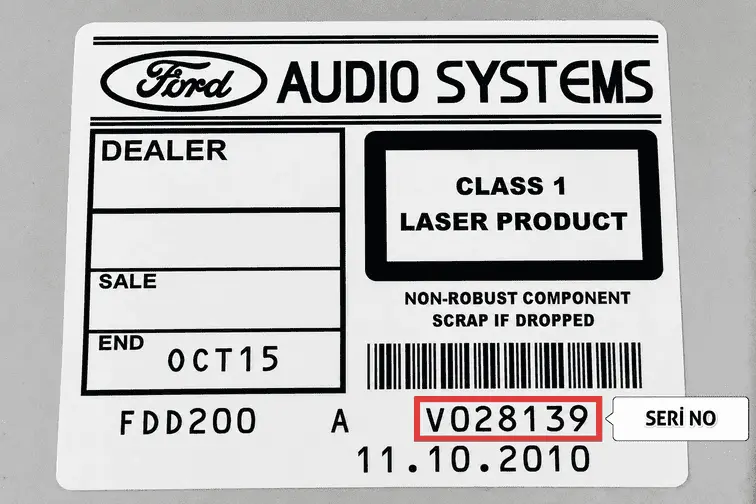
- Reading from the Label: If the serial number does not appear on screen using the button combination, remove the radio using a radio removal tool and note the serial number starting with M or V on the label located on the top or side panel of the unit.
- Calculate the Code: Enter the serial number you obtained into the calculation tool below and generate your radio pin code instantly.
How to Look Up a Ford Radio Code? (Detailed Explanation)
First of all, in order to find out the pin code for your radio, you need to know which serial number your device has. There are two ways to learn your radio’s serial number: using button combinations or checking the label information on the radio. Please continue reading our article carefully for detailed information.
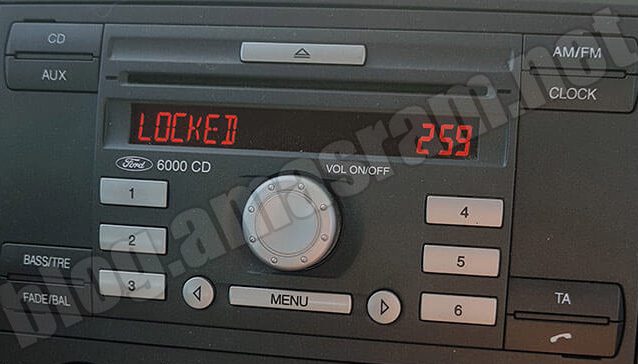
1) Finding the Serial Number for Ford Sony, 6000CD, 4500RDS V and M Series Radios via Buttons
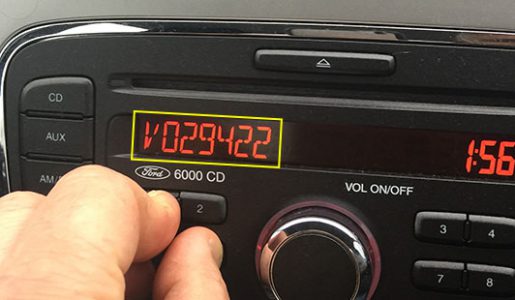
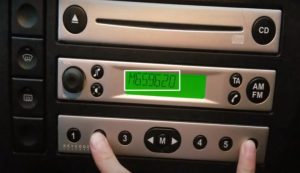
To find your radio’s serial number, for the Sony, 6000 CD series press 1 and 6, or for the 4500 RDS series press 2 and 6 buttons at the same time for a few seconds to learn the radio’s serial number.
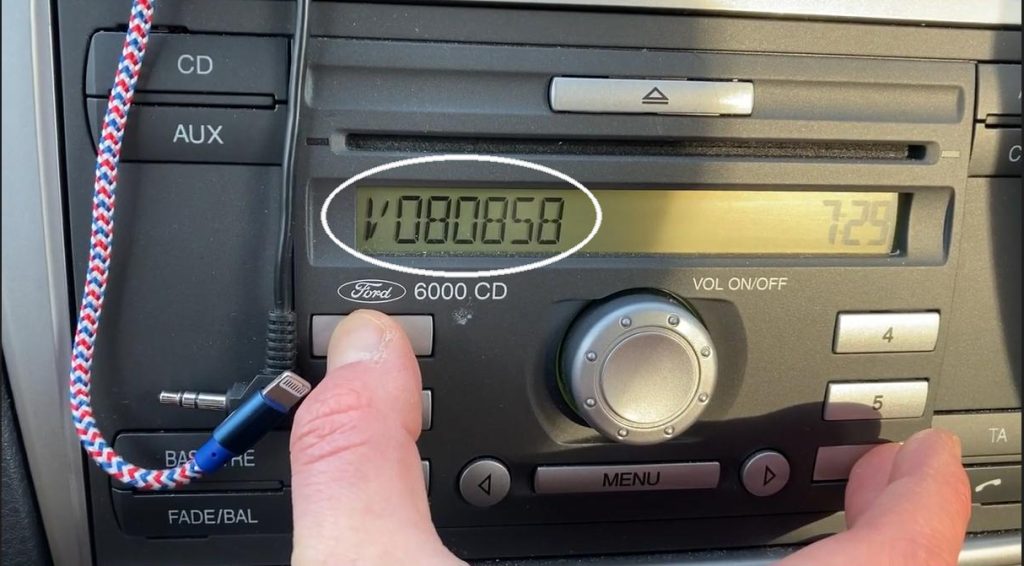
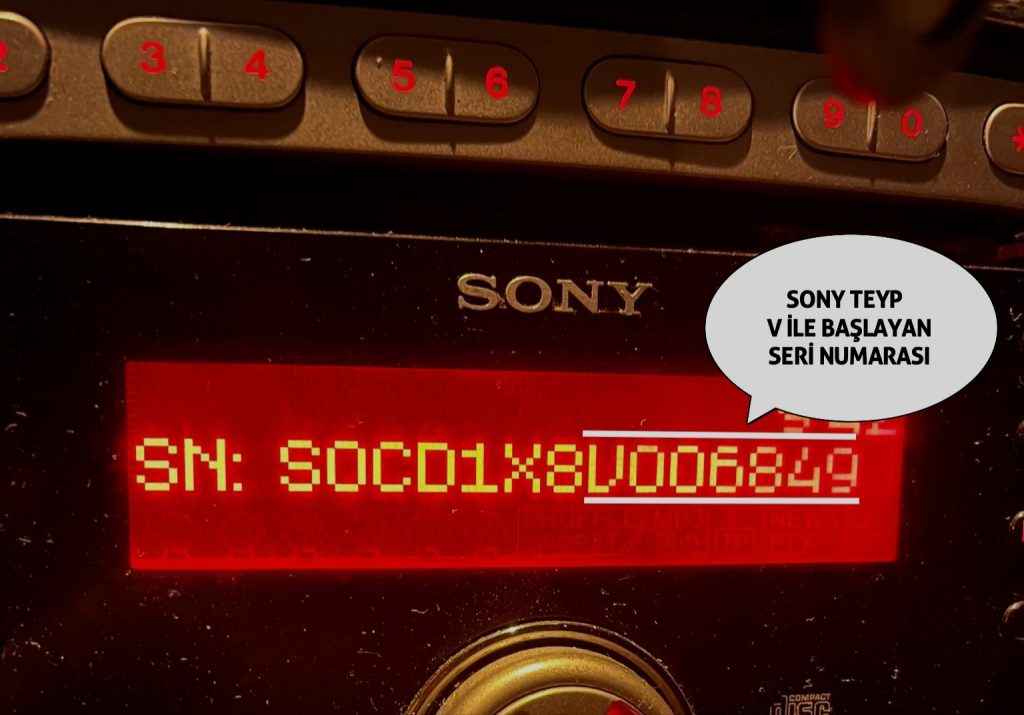
Friends who cannot reach the serial number via the button combination will need to access the label information on the radio. There are many helpful videos on YouTube and search engines about how to remove Ford car radios, and you can easily perform the removal by reviewing these videos.
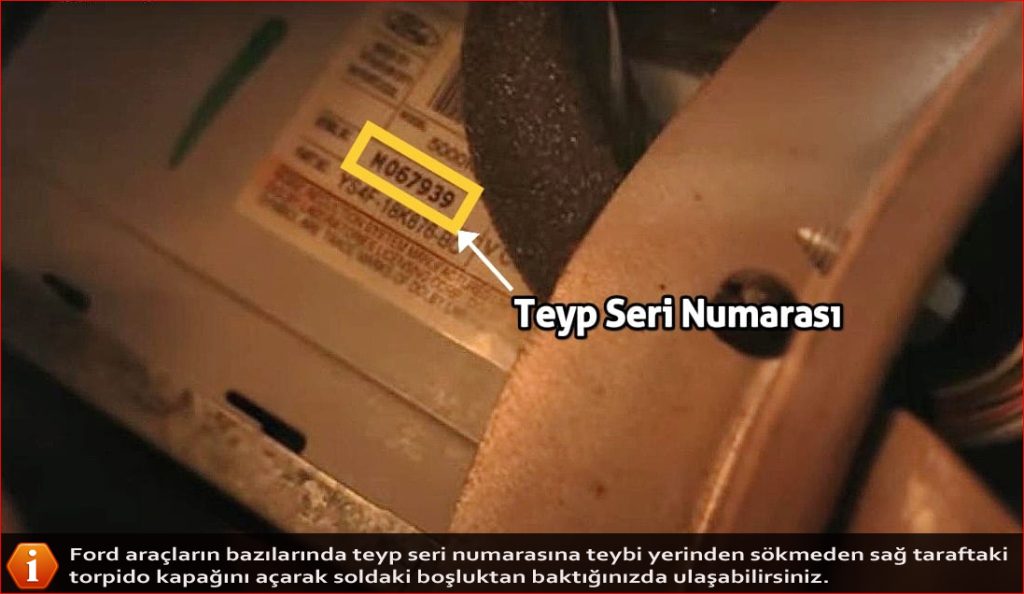
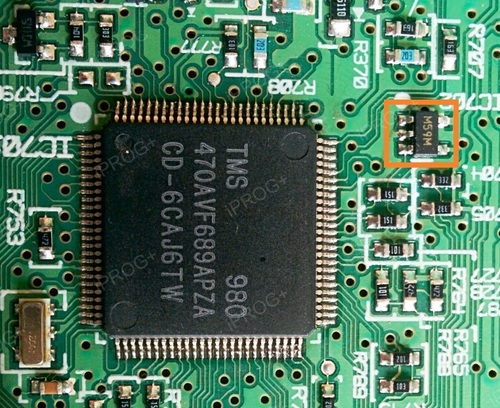
2) Finding Ford V and M Series Radio Serial Number via Label
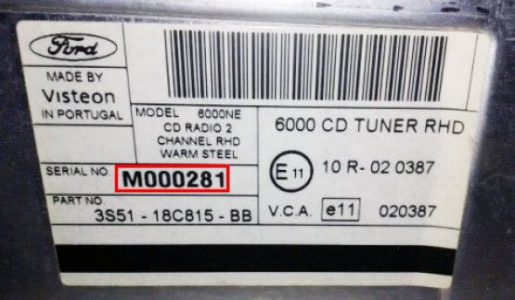
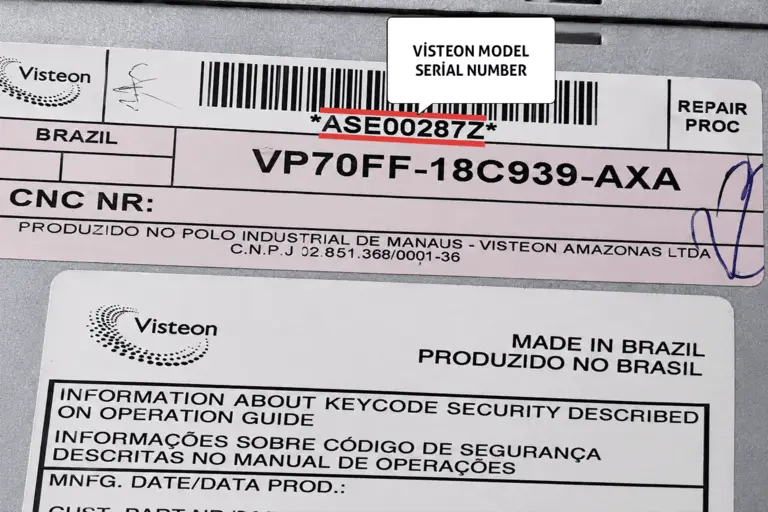
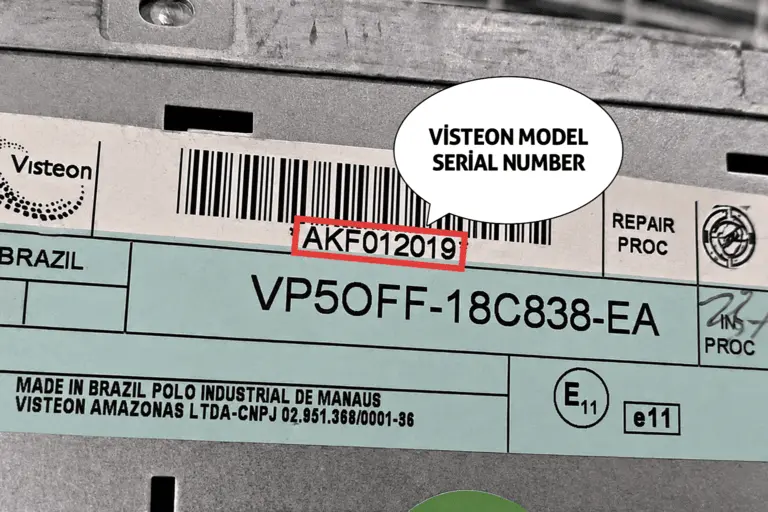
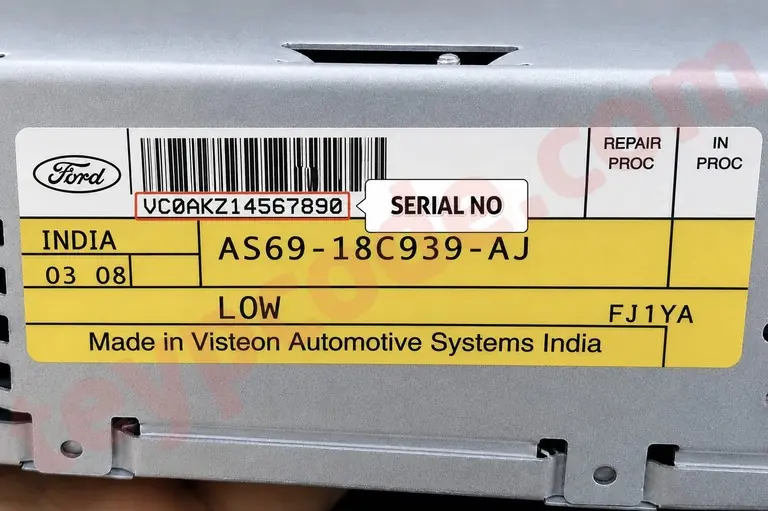
3) Ford Visteon (India & Brazil) Serial Numbers
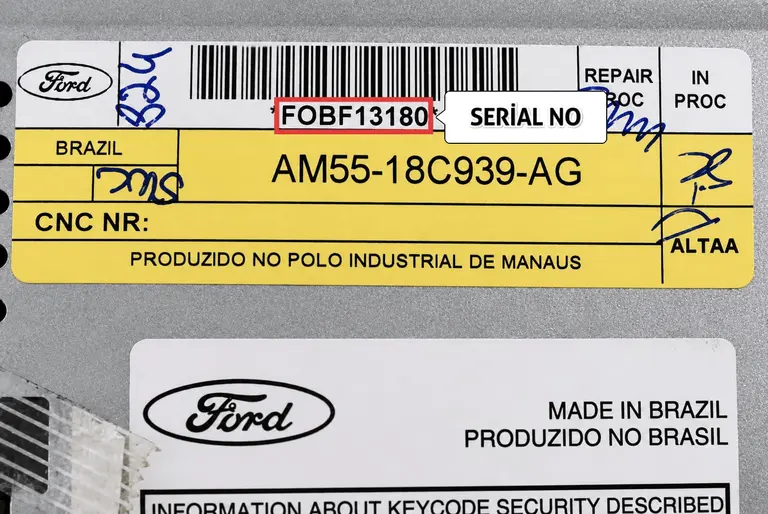
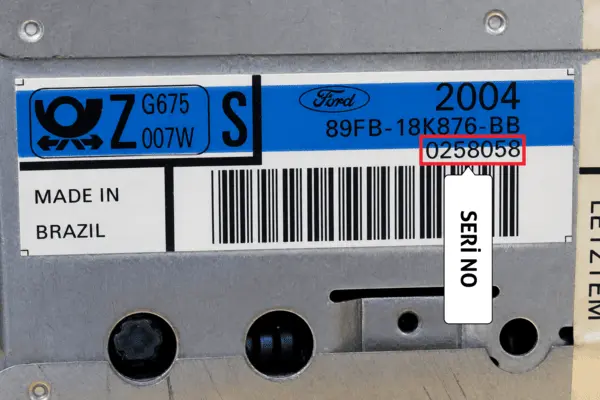
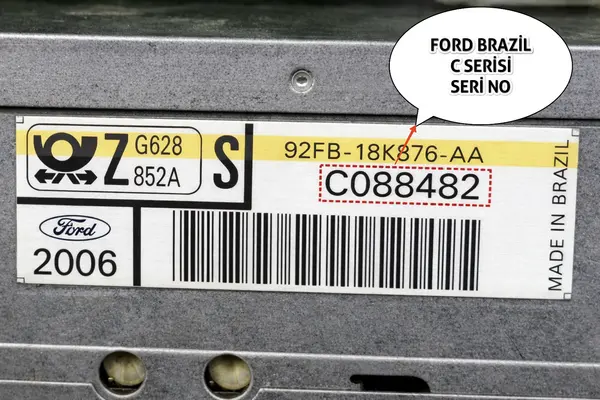
4) Ford TOPPOWER 9121T, 9122, 9122A, 9122T, 9123 and 9123T Series Radio Serial Number
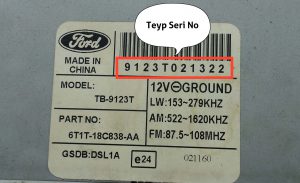

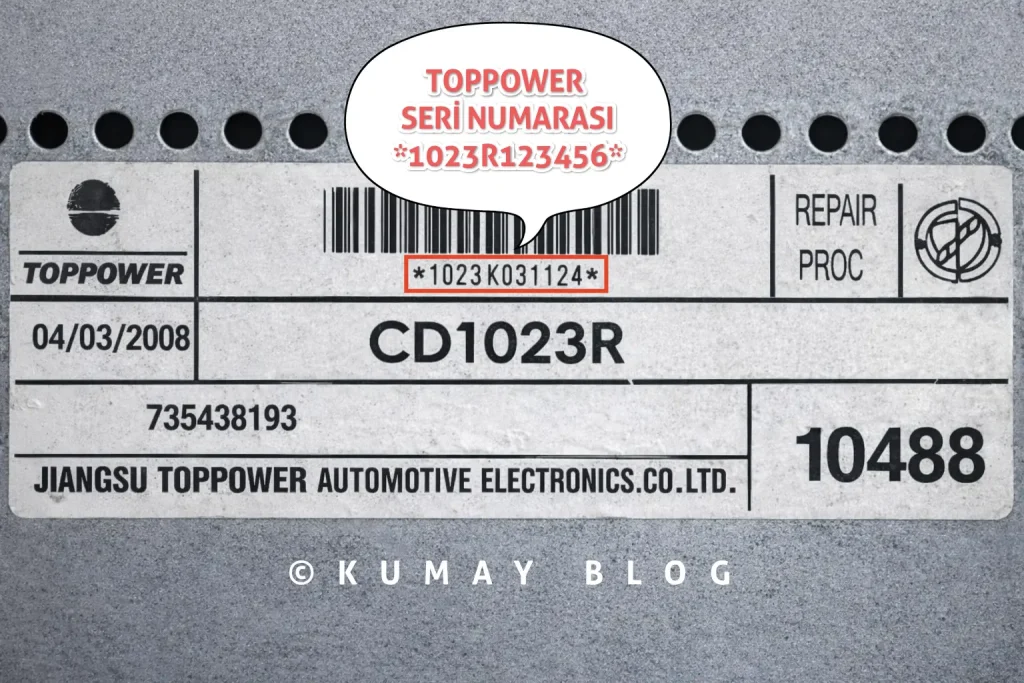
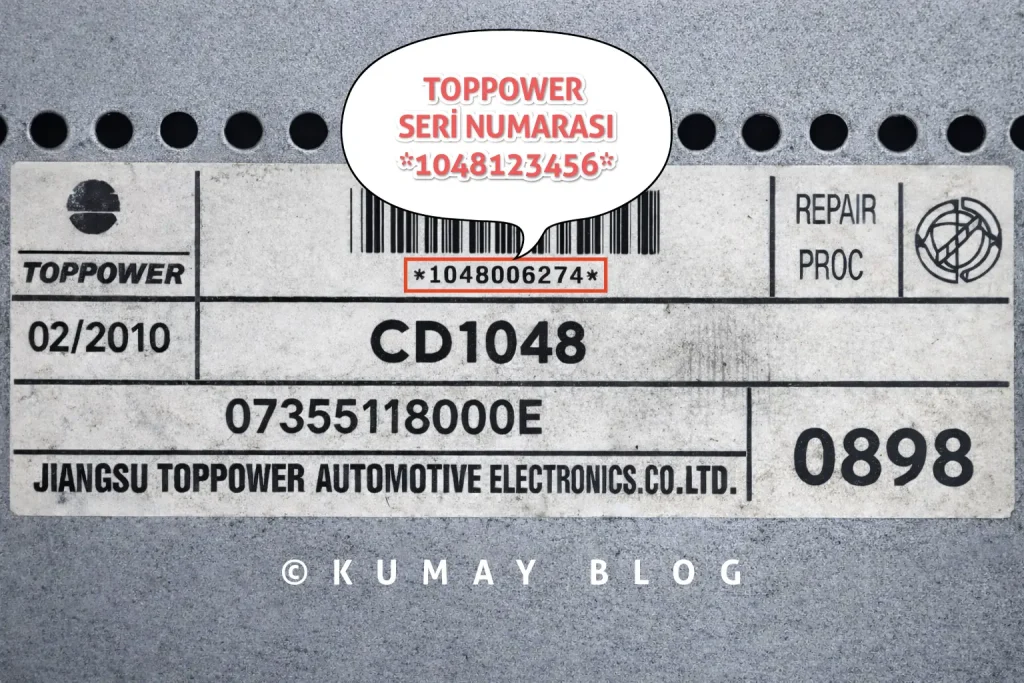
5) Fiat TOPPOWER CD1023R and CD1048 Series Radio Serial Number
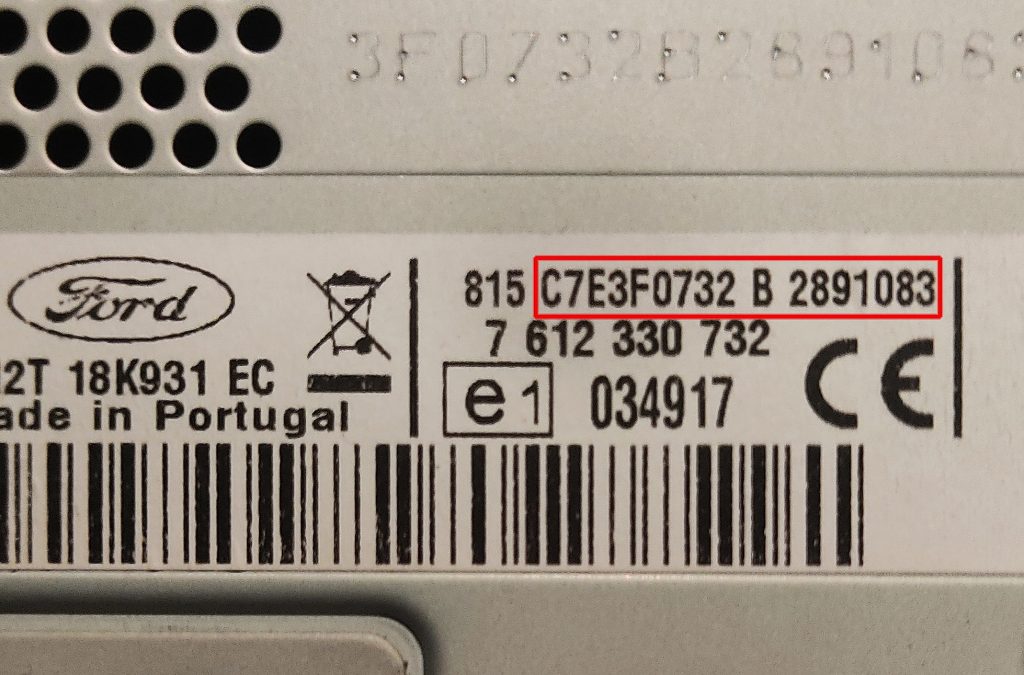
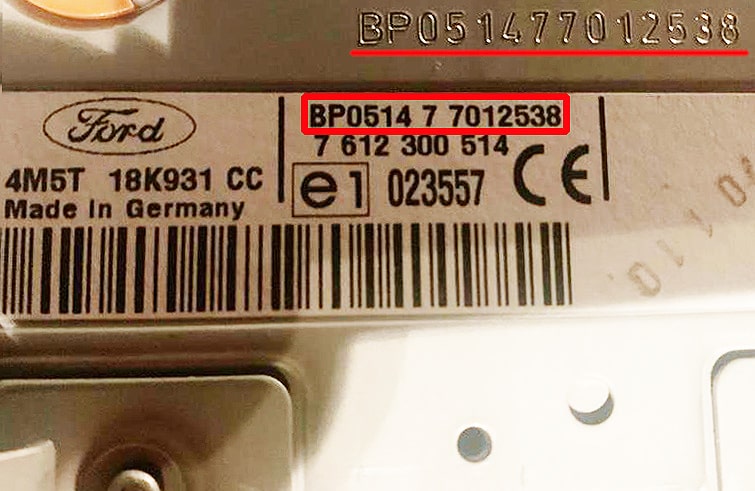
6) Ford Bosch & TravelPilot Radio BP – C7 Series Radio Serial Number
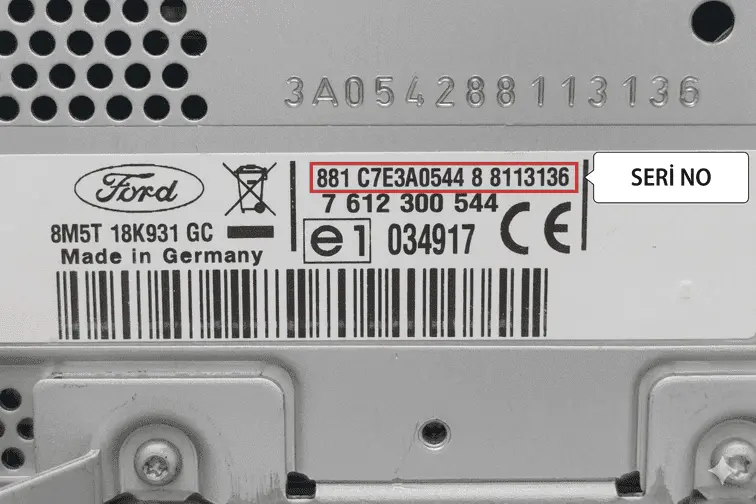
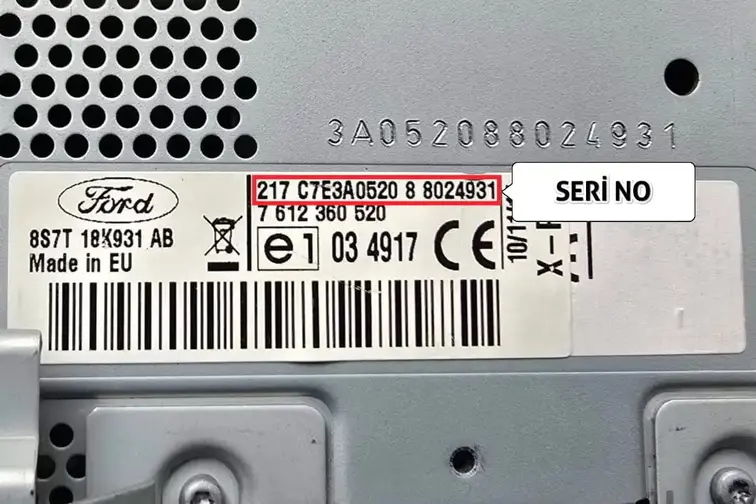
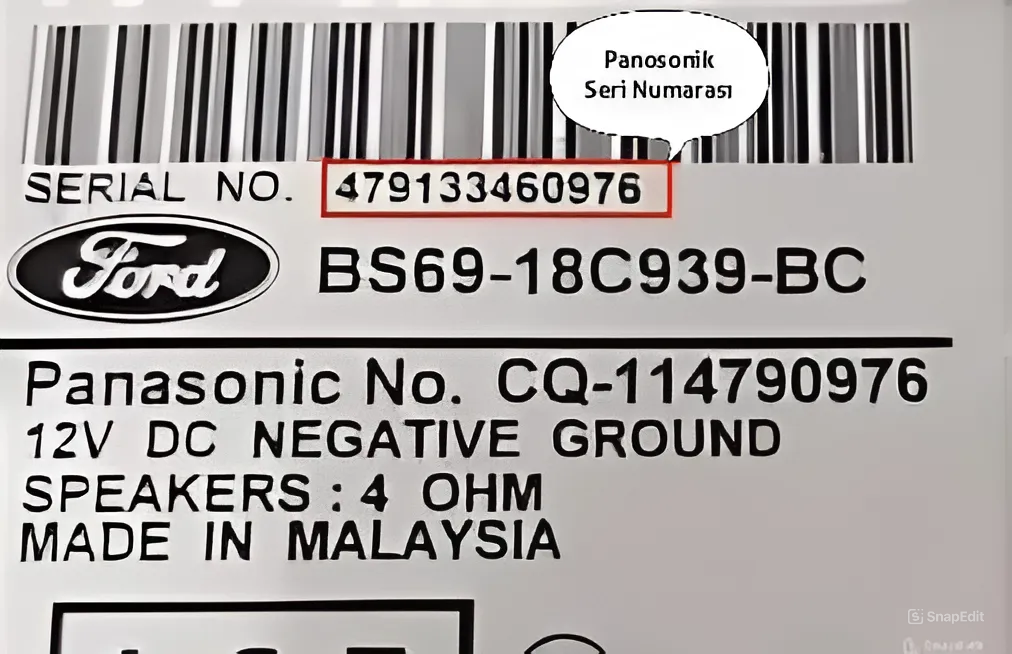
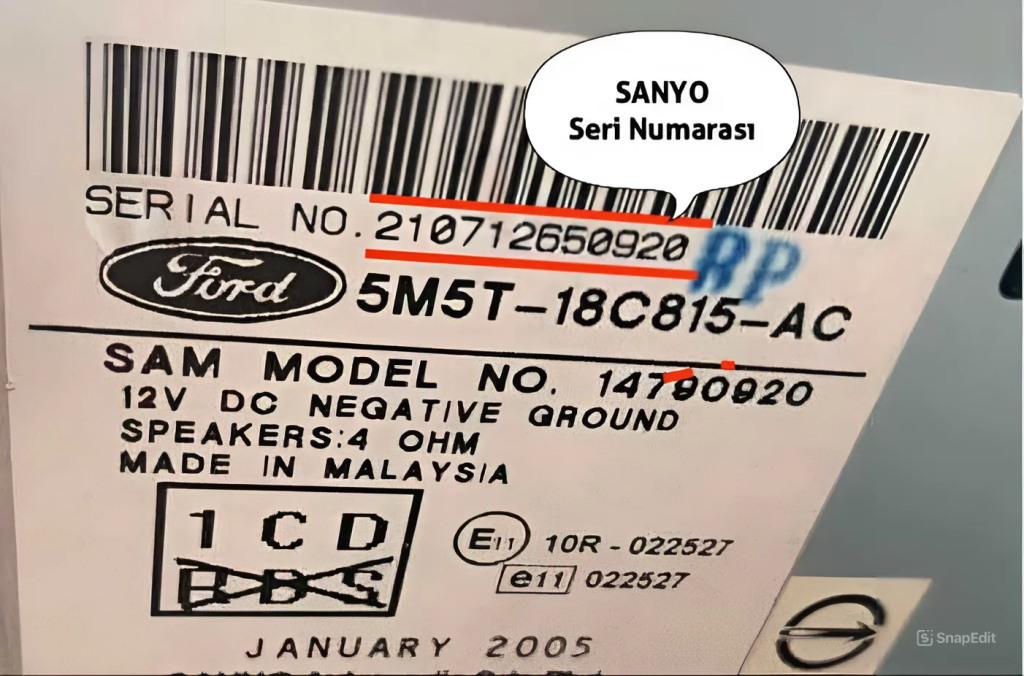
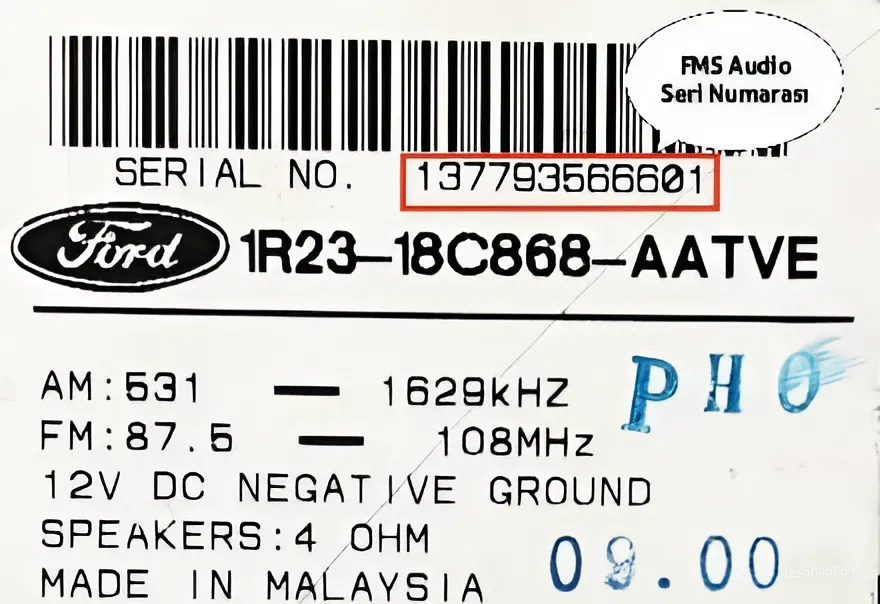
7) Ford Sanyo – Panosonic – FMS Series Radio Serial Number
8) Ford Becker Series Radio Serial Number
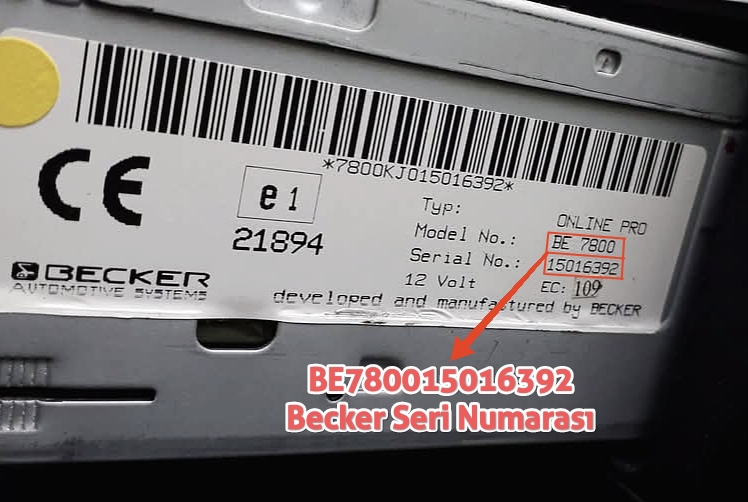
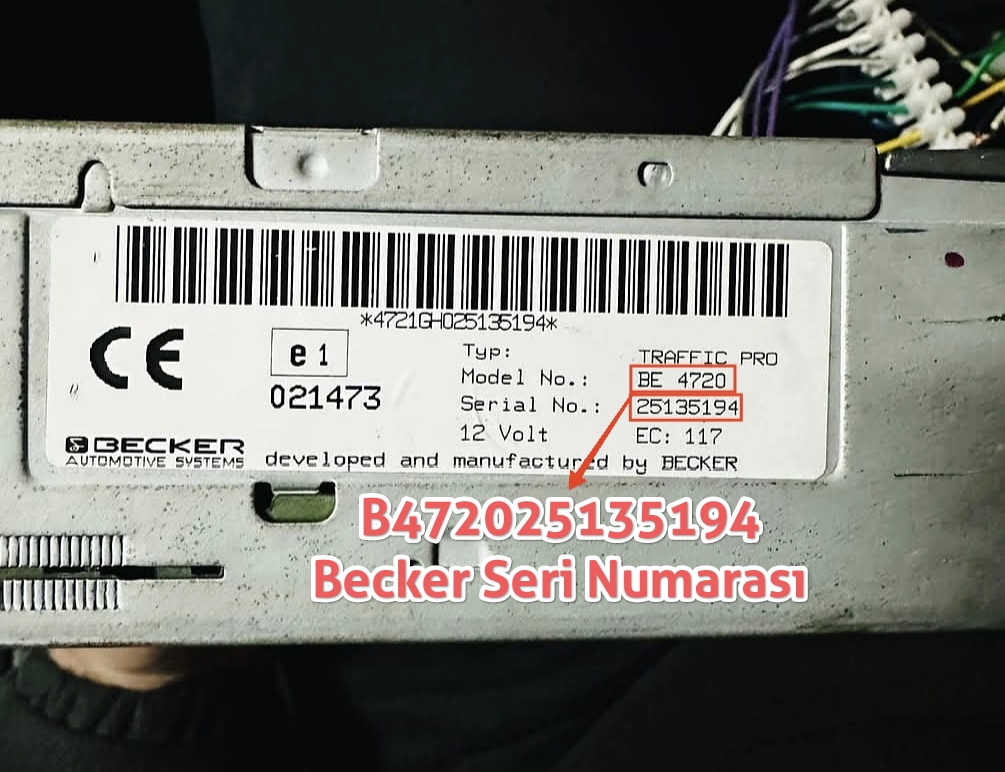
For all radio series, the areas marked with a red label in the images represent the unique serial number of your radio, and the code lookup is performed using these serial numbers..
-
-
You can quickly look up the pin security code for Ford M and V series, Ford Visteon series, Ford Figo series, Ford Brazil C series, Ford Bosch Blaupunkt TravelPilot C7, BP series, Ford Sanyo, Panosonic, FMS series, and TOPPOWER brand CD1023R, CD1048, TB-9121T, TB-9122, TB-9122A, TB-9123, TB-9123T, TP-9123T series radios used in Fiat Albea, Fiorino, Doblo, Palio, Strada, Peugeot, and Ford Connect, Turneo, Transit vehicles, using the online code finder tool below. To perform a lookup, click here.
-
- The code entry technique for Ford group M and V series car radios is a bit different, and generally buttons 1, 2, 3, 4 are used along with 5 to confirm the entered code.
- For TOPPOWER series car radios, after entering the code with buttons 1, 2, 3, 4, the right arrow button shown in the image below is used to confirm the entered code.
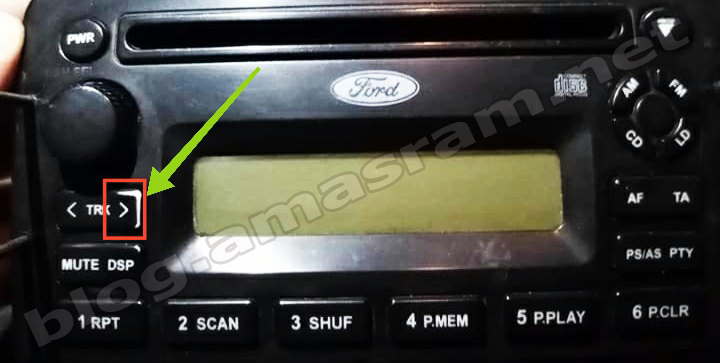
- For example, if our code is 2465, you should press button 1 twice, button 2 four times, button 3 six times, button 4 five times, and then press 5, or the right arrow button for the Toppower series, to confirm the entered code. If the code is entered correctly, your radio will turn on without any issue. Friends who do not understand this algorithm can search YouTube for “Ford radio pin code entry” and review instructional videos.
Ford M, V, C7, BP, Becker, Sanyo and Toppower Series Radio Code Finder Program;
You Should Know:
1: ) Since making too many incorrect pin code attempts to turn on your radio will render it out of service, if the code you guessed as correct turns out to be wrong, please seek professional support without making too many further attempts.