Holden Car Radio Code Finder (Blaupunkt Models)
Hello, Holden Vehicle Owners,
Has your Holden’s radio locked up after a battery change or an electrical interruption? If you see a prompt on the screen asking you to enter a code (CODE / SAFE, etc.), your radio’s security system has been activated. To get back to enjoying your music, you need to enter the original security code that was uniquely generated for your radio.
In this guide, we will explain how you can easily find the unlock code for Blaupunkt brand radios used in Holden vehicles, using the serial number found on the label of the device.
Once you have your serial number, you can use our Online Holden Radio Code Finder at the bottom of the page to get your code instantly.
Important Step: Where Is the Holden Radio Serial Number?
To calculate your radio’s security code, you need to remove the device from the dashboard and locate the serial number on the label attached to its body.
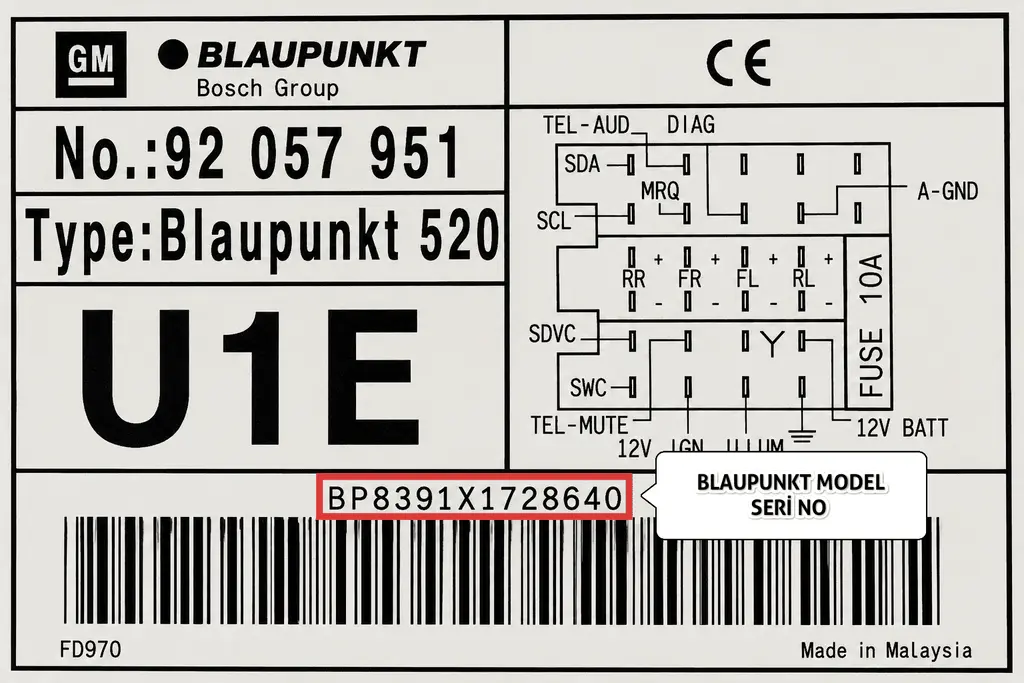
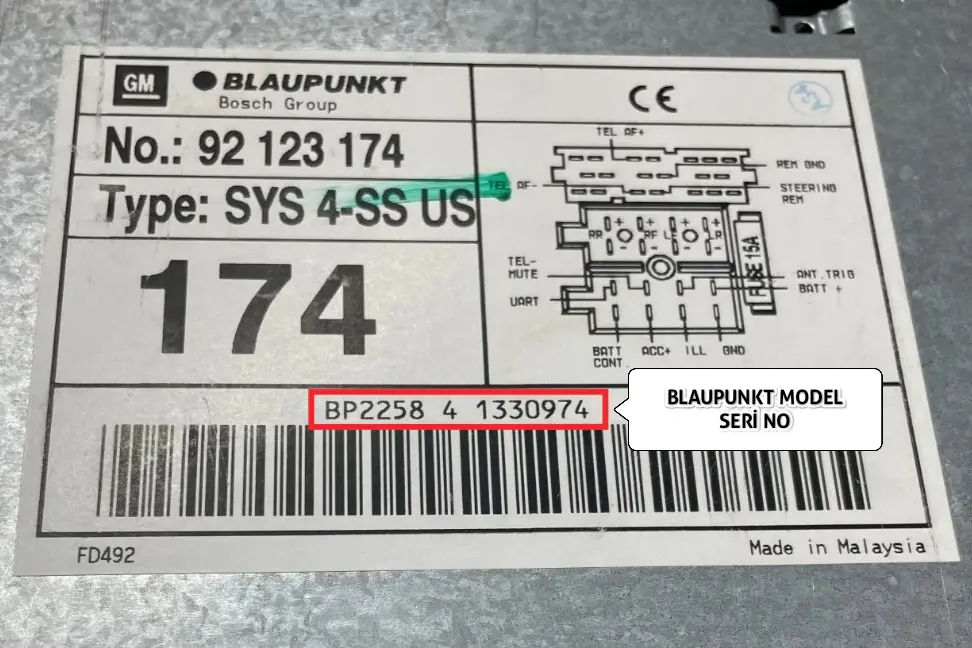
How to Identify the 14-Character Serial Number?
- Starts with BP: The serial numbers of Blaupunkt radios used in Holden vehicles always begin with the letters BP.
- 14 Characters Long: Including the BP prefix and the following digits and letters, the total length of the serial number must be 14 characters.
- Example: If you see a code starting with BP1234 on the label, you must enter all 14 characters completely into the lookup field (e.g. BP1234XXXXXXXX).
Once you have your number, use our online tool at the bottom of the page to retrieve your code.
Supported Holden Radio Models
Our lookup tool fully supports the following radios used in Holden vehicles:
- ✅ 14-Character Blaupunkt Series (starting with BP)
Holden Commodore, Colorado, Captiva, Cruze, Astra, Barina and all other Holden models are supported.
Holden Serial Number Examples (Visual Guide)
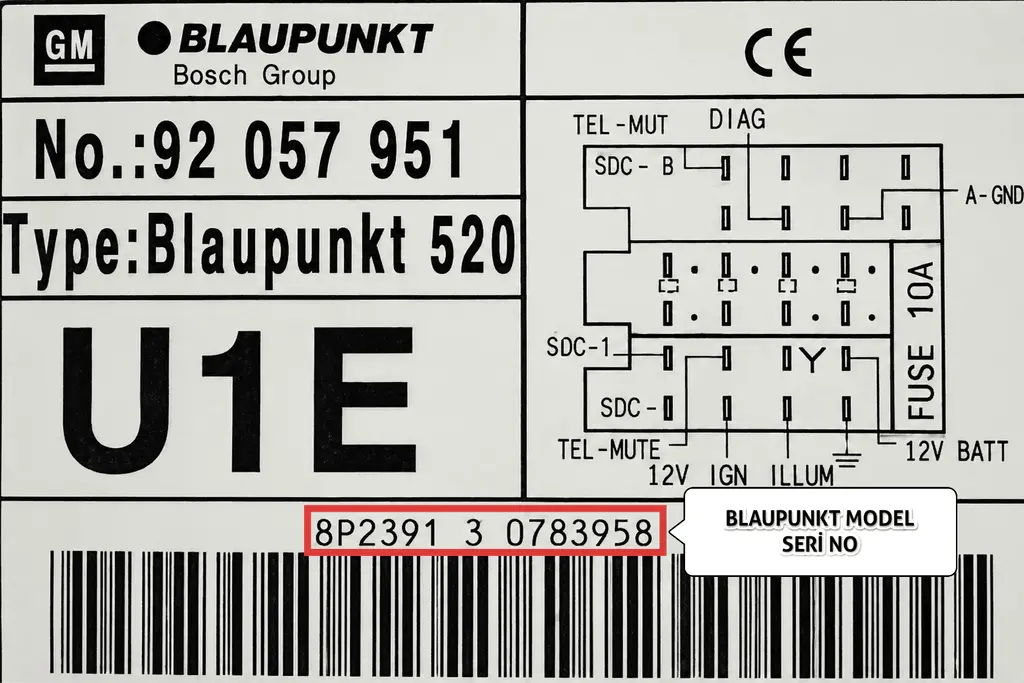
You can refer to the images below to see how to locate the BP-prefixed 14-character serial number on your radio’s label.
Examples for Blaupunkt Models:
Holden Radio Code Finder Tool
Frequently Asked Questions About Holden Radio Codes (FAQ)
❓ Where can I find the serial number on my Holden Blaupunkt radio?
The serial number is found on a label on the top, side, or back of the radio unit. You may need to remove the radio from the dashboard to read it. The number you are looking for starts with BP and is 14 characters long in total.
❓ How do I enter and confirm the radio code on my Holden?
On Blaupunkt radios fitted to Holden vehicles, codes are entered using the preset buttons on the radio face. Each button increments the digit for that position. Once the correct code is displayed on screen, confirm it by pressing the FM/AM or OK/Enter button. Button layout may vary by model, so consulting your vehicle’s owner’s manual is also recommended.
❓ My screen shows SAFE or CODE 10 — what should I do?
When an incorrect code is entered too many times, the radio enters a security lockout and displays messages like “SAFE” or “CODE 10”. In this case, leave the ignition switched on and keep the radio powered for approximately 1 hour without pressing any buttons. Once the wait is complete, the radio will return to the code entry screen. Switching the radio off resets the timer, so the ignition must remain on.
❓ My serial number does not start with BP — can you still find my radio code?
Our system currently supports
Blaupunkt series Holden radios with a 14-character serial number starting with BP. If your serial number has a different format or prefix, please contact our support team via
Telegram or
WhatsApp and we will assist you as soon as possible.
Tagged with: blaupunkt holden serial number,
holden astra radio code,
holden barina radio code,
holden blaupunkt radio code,
holden bp radio code lookup,
holden captiva radio code,
holden car radio code,
holden colorado radio code,
holden commodore radio code,
holden cruze radio code,
holden radio code,
holden radio code after battery change,
holden radio code finder,
holden radio code free,
holden radio code online,
holden radio locked,
holden radio serial number,
holden radio unlock