Chrysler, Jeep, Dodge Radio Code Finder – Instant Unlock Service
Finding Chrysler Radio Code (All Models)
 |
 |
 |
 |
Hello Dear Chrysler, Jeep and Dodge Owners,
Did “CODE”, “Input Code” or “Wait” warning appear on your screen after a battery replacement or when you removed the radio in your Chrysler, Jeep or Dodge vehicle? This situation indicates that your multimedia system has entered security mode against theft. To reactivate your system, you need your 4 or 5 digit lost radio password.
In this guide, we will explain how you can access the radio codes of all radio models such as Harman Kardon (Uconnect), Alpine, Panasonic, Continental, Delphi, Aptiv and Becker found in Chrysler group vehicles.
After learning your serial number (Serial No), you can instantly query your code using our Online Radio Code Finding Service at the bottom of the page.
Important Step: How to Find Radio Serial Number?
In order for us to generate your radio code, we need the unique serial number (Serial No) written on the casing of your radio (usually on the top or right side).
1. Method: From the Screen (Rarely)
- On some older Chrysler radios, pressing and holding [SET] + [RADIO] or preset buttons while the ignition is on may bring the serial number to the screen.
2. Method: Removing the Radio from Its Place (Definitive Solution)
- The most reliable method is to remove the radio from its slot. In Chrysler, Jeep and Dodge vehicles, the front console frame is usually clipped and after removal, 4 screws holding the radio become visible.
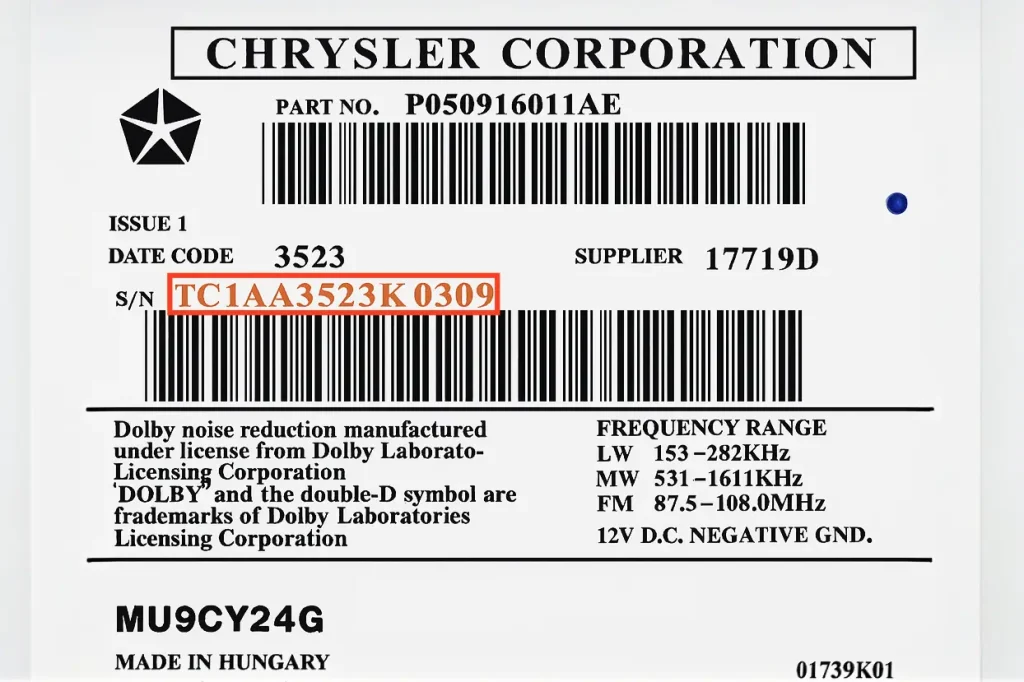
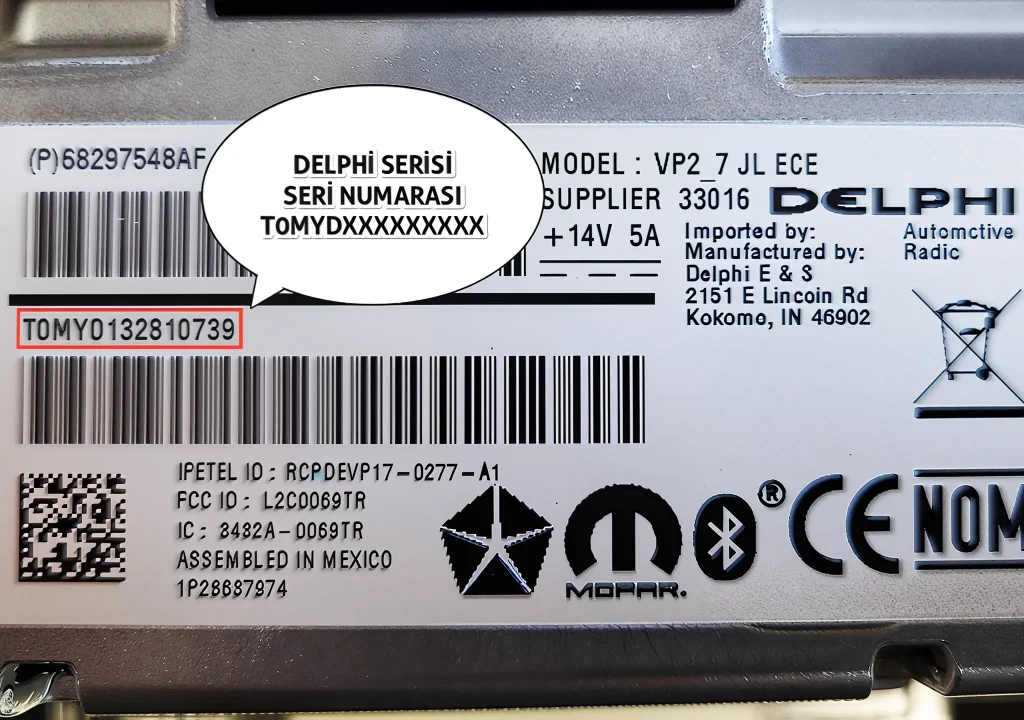
- When you pull the radio forward, you will see the serial number starting with T00…, TQ…, T0MYD… on the label on the metal casing under “S/N”, “Supplier Code” or the barcode.
After noting your serial number, you can get your code using our online tool at the bottom of the page.
All Supported Chrysler Radio Models
Our online query tool below supports all listed manufacturers and serial number formats:
Harman Kardon | Alpine | Panasonic | Continental | Delphi | Aptiv | Becker
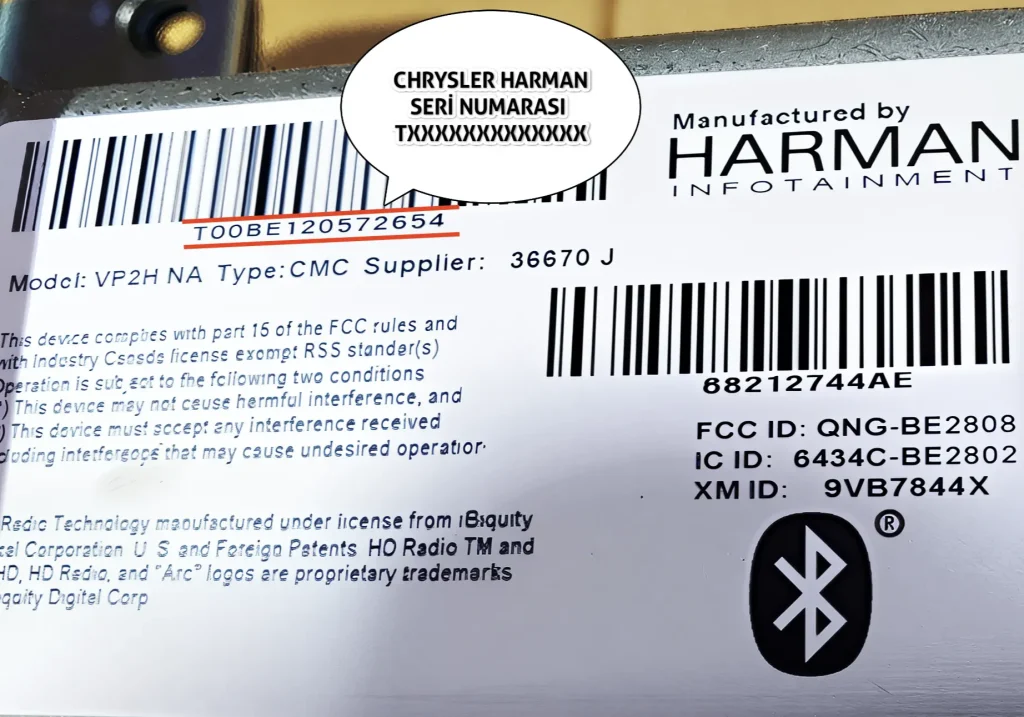
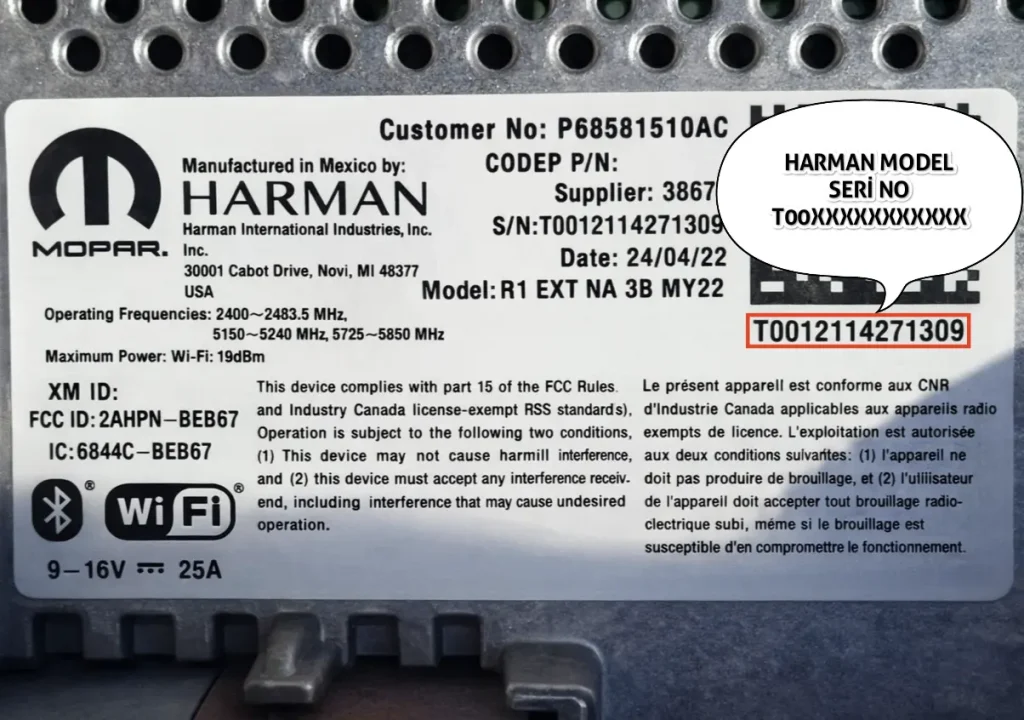
1. Chrysler Harman Series (starting with T00…)
These are Uconnect systems usually found in Jeep Grand Cherokee, Chrysler 300C and Dodge models. The serial number starts with ‘T00’ and is usually 14 characters long.
Formats: Starts with T00BE…, TOOBE…, T0012… or TOO12….
Example Serial No: T00BE123456789 & T0012123456789
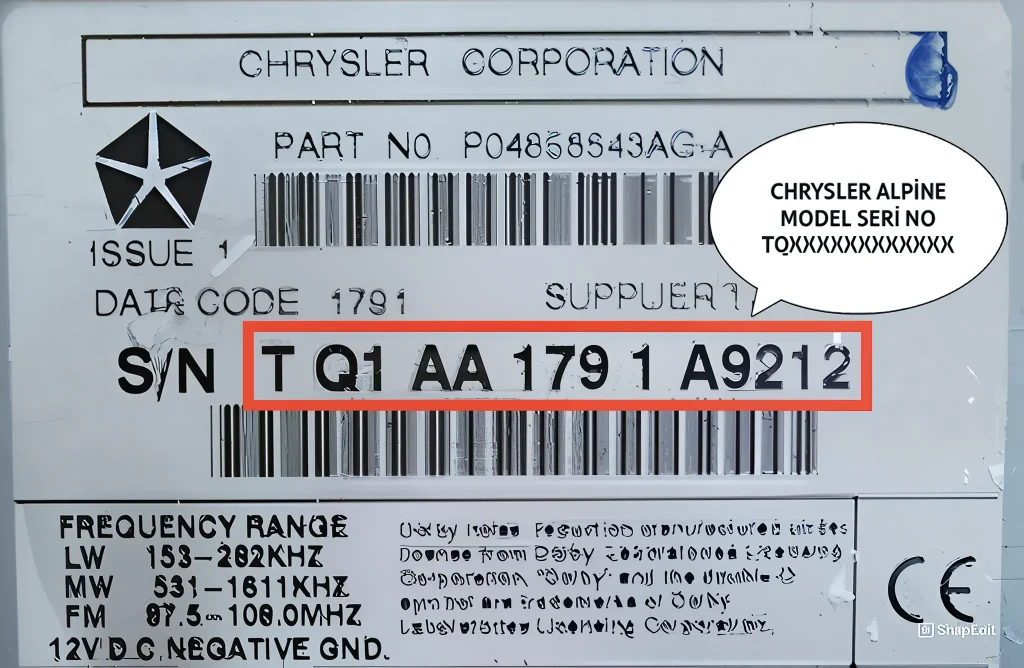
2. Chrysler Alpine Series (starting with T letter)
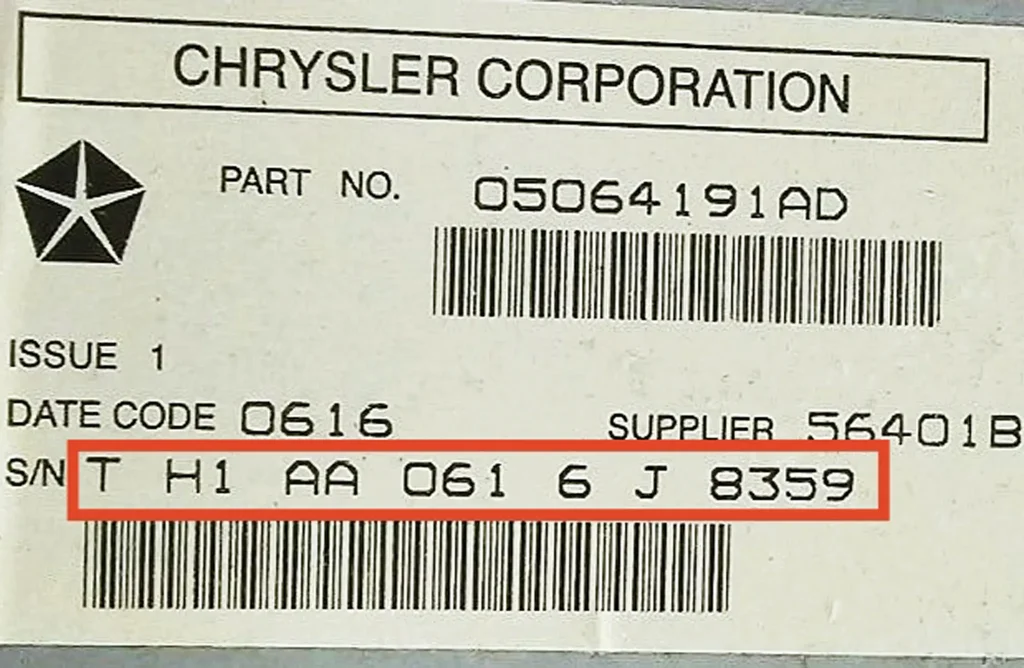
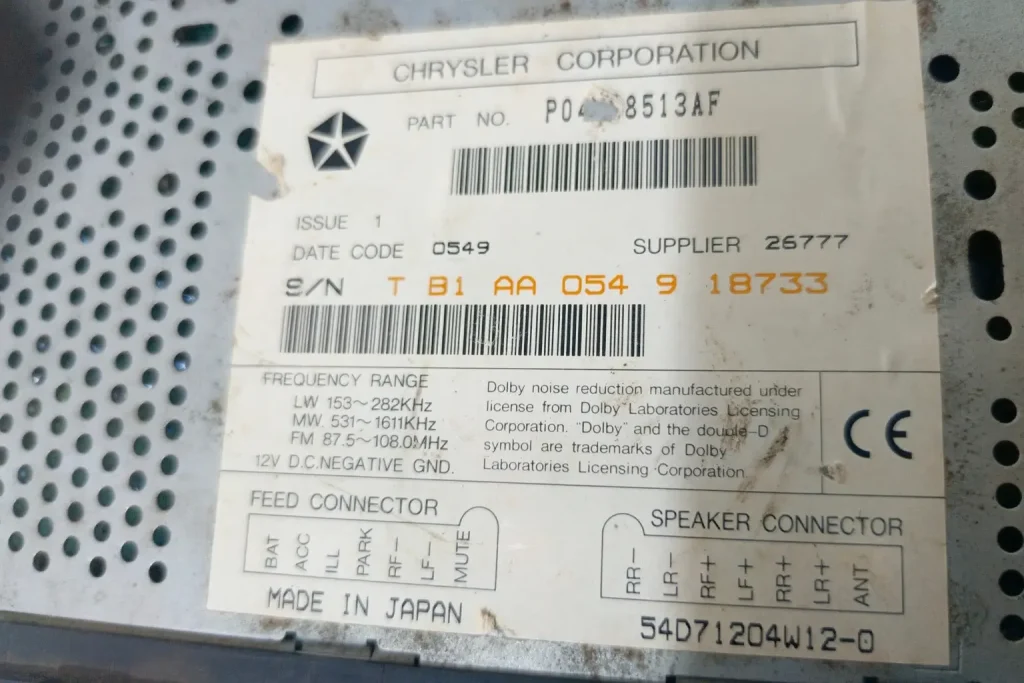
These units manufactured by Alpine contain 2 letters at the beginning of the serial number and usually consist of 14 or 15 characters.
Valid Starting Codes: TB, RB, TC, TH, TT and TQ.
Important Note: Especially in series starting with TQ (Ex: TQ1AA123456789), our system automatically analyzes from the serial number whether your radio is 5-button or 6-button.
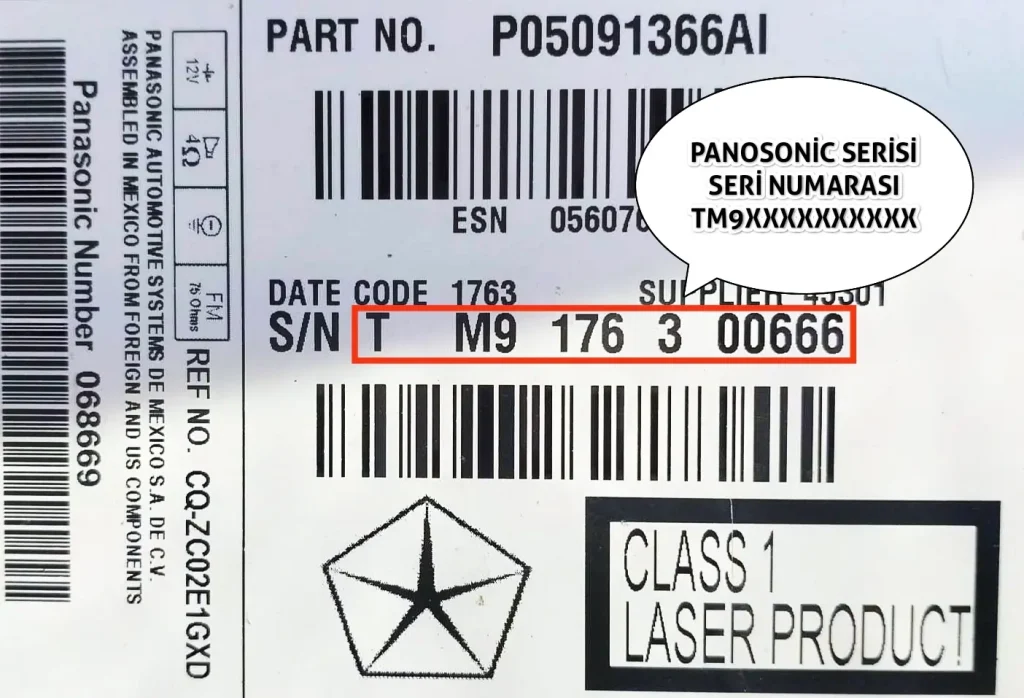
3. Chrysler Panasonic Series (starting with TM9…)
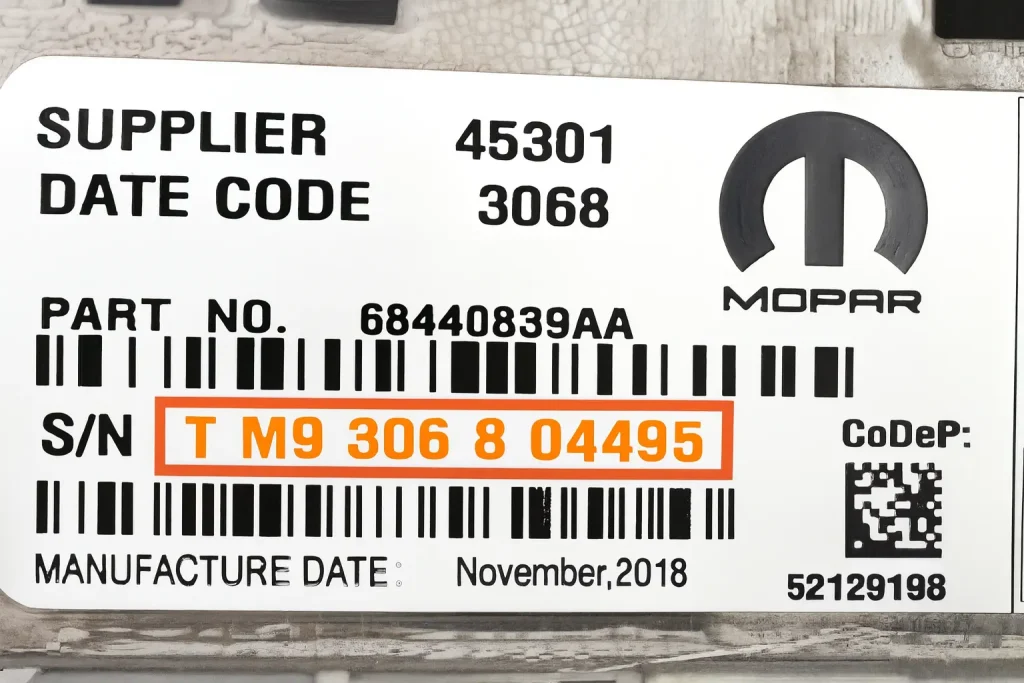
Usually seen in touchscreen units. The serial number starts with ‘TM9’ and is 12 characters long in total.
Example Serial No: TM9123456789
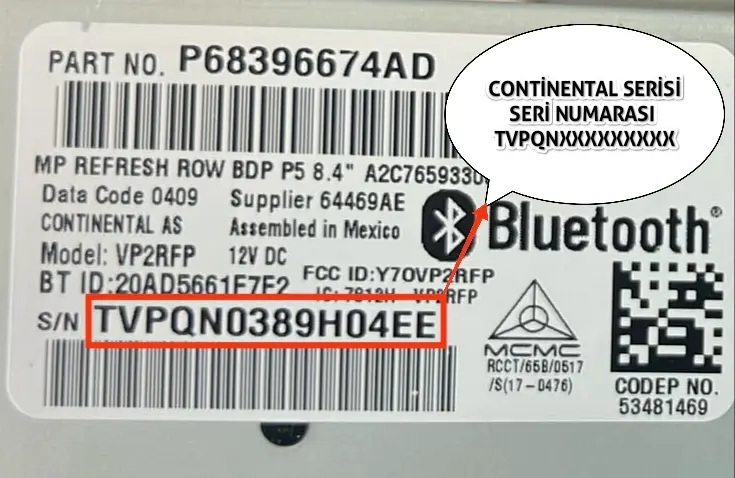
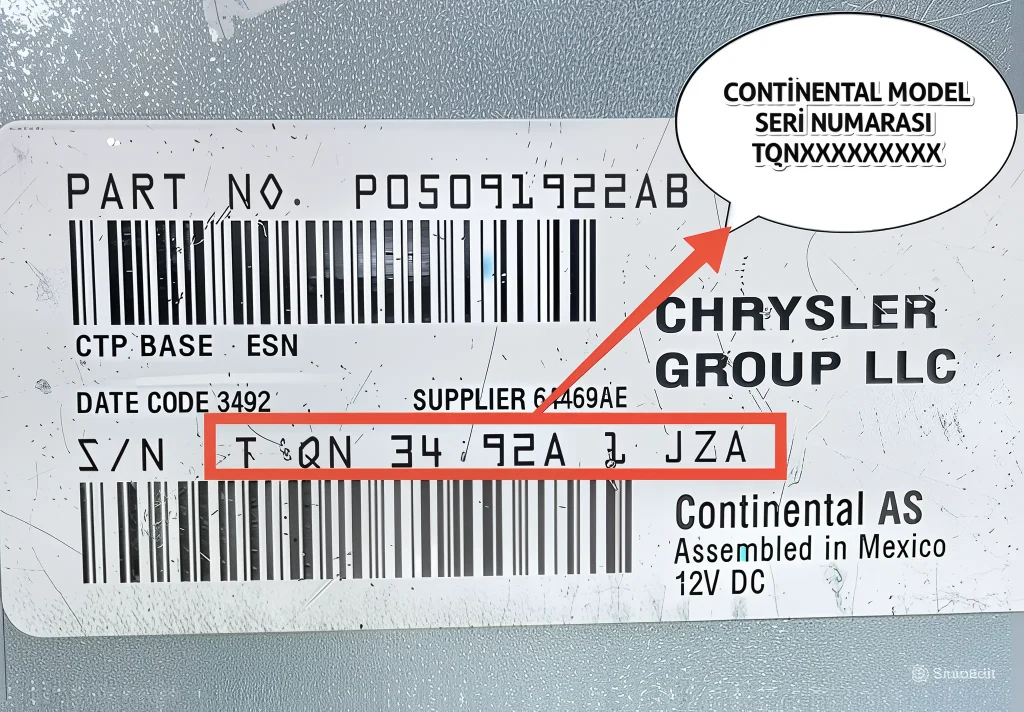
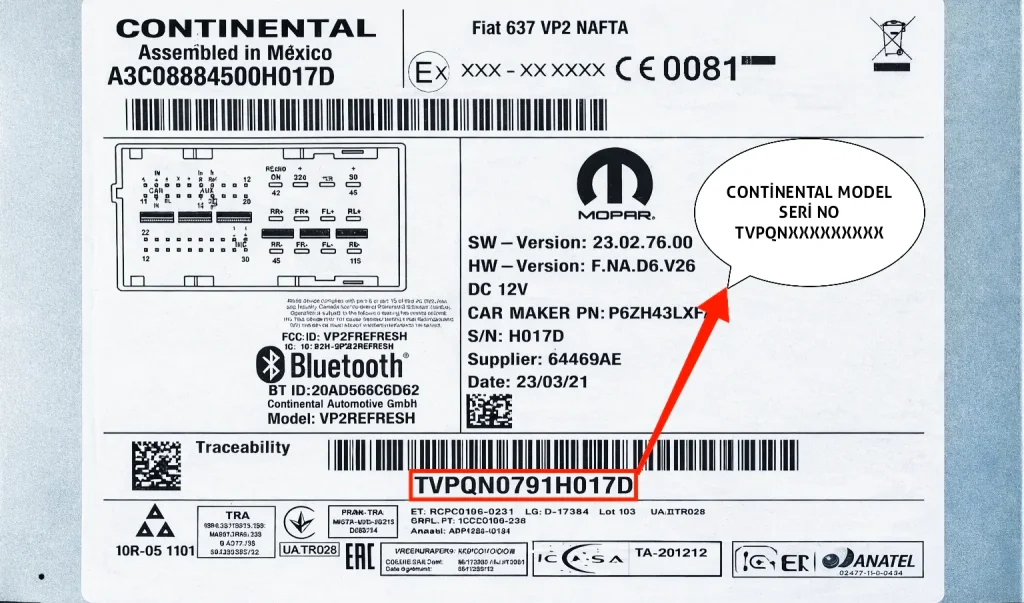
4. Chrysler Continental Series (starting with TV… or TQN…)
Continental manufactured radios usually have serial numbers starting with ‘TV’ or ‘TQN’ letters. TV series is 14 characters, TQN series can go up to 12 characters.
Example Serial No: TVPQN123456789 & TQN3492A1JZA
5. Chrysler Delphi & Aptiv Series (T0MYD… or T0BYD…)
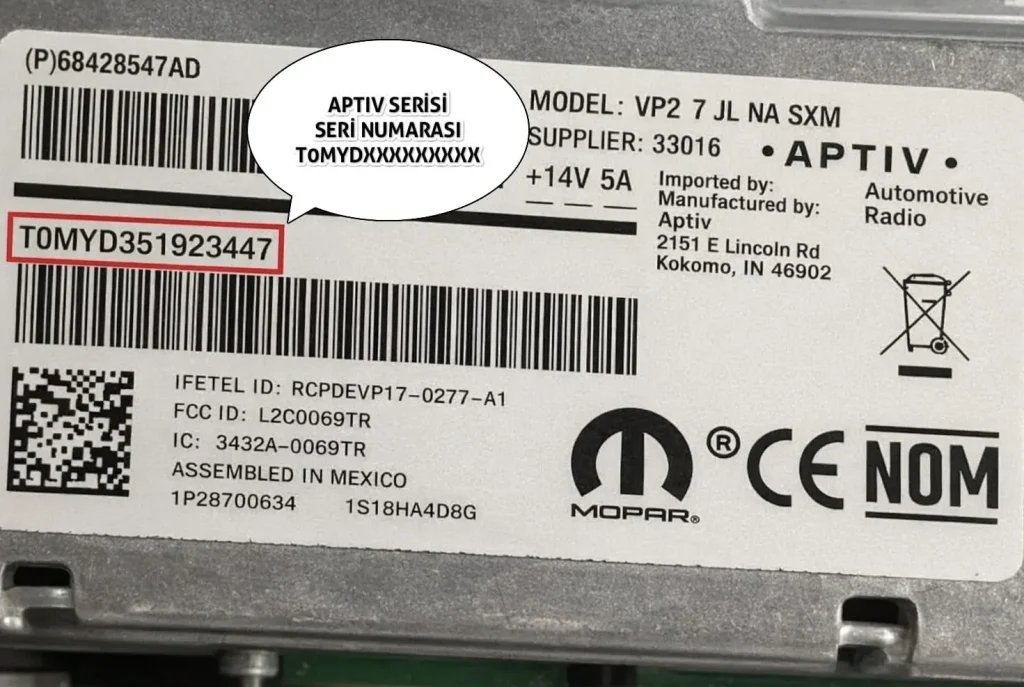
The serial numbers of these units found in newer model vehicles vary according to the manufacturer:
- Delphi and Aptiv Manufactured: Starts with T0MYD (or TOMYD), is 14 characters.
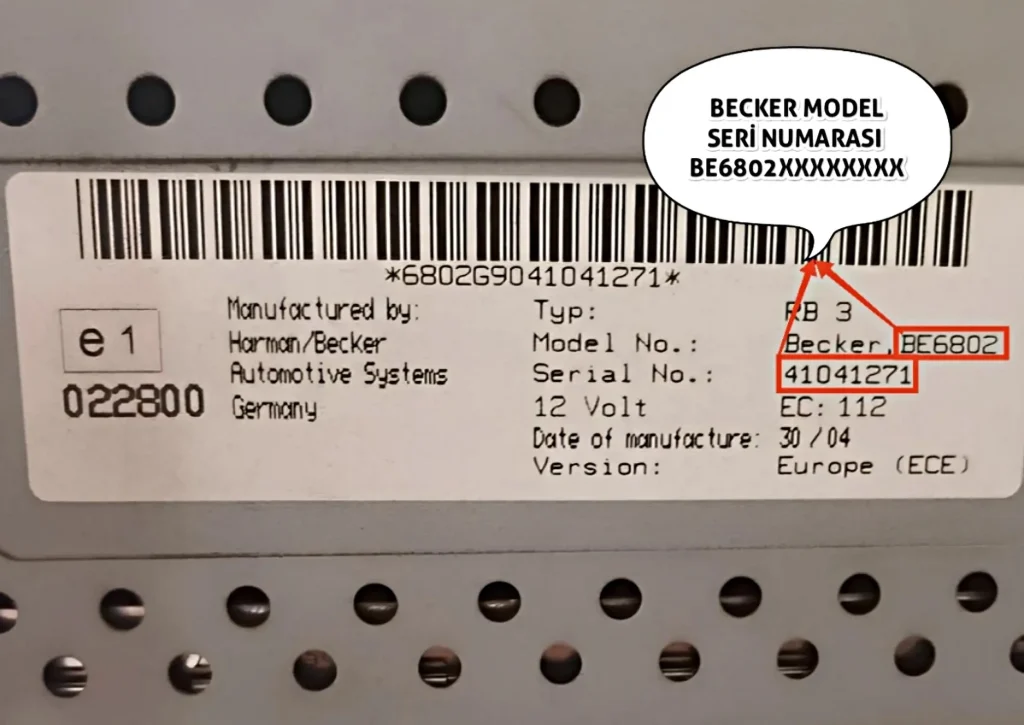
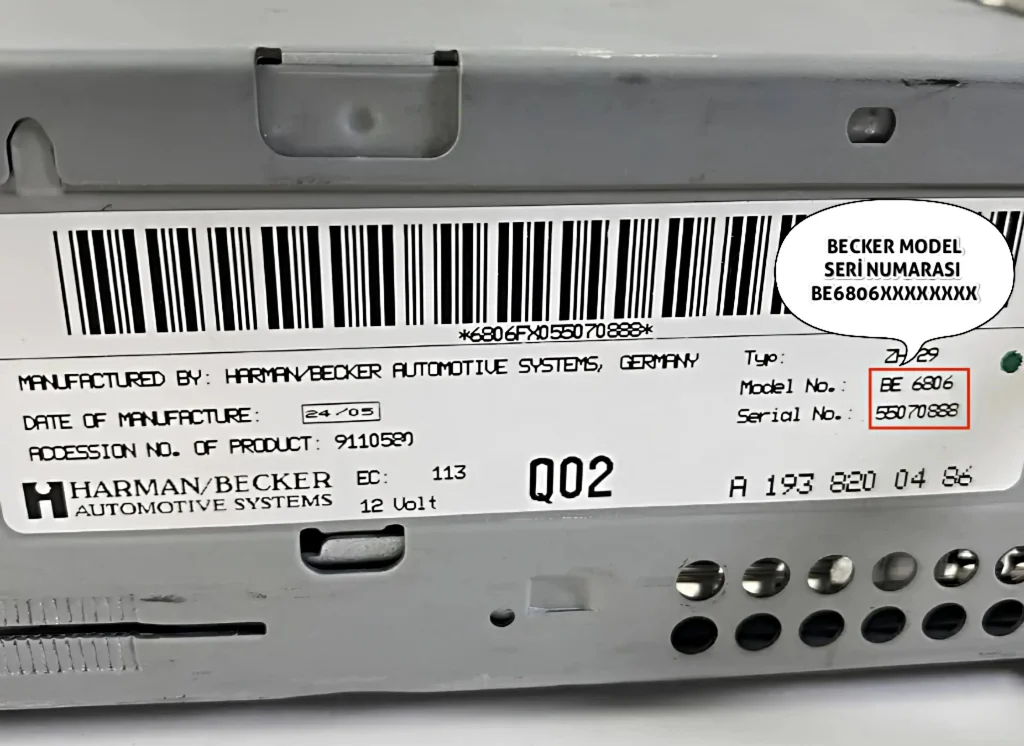
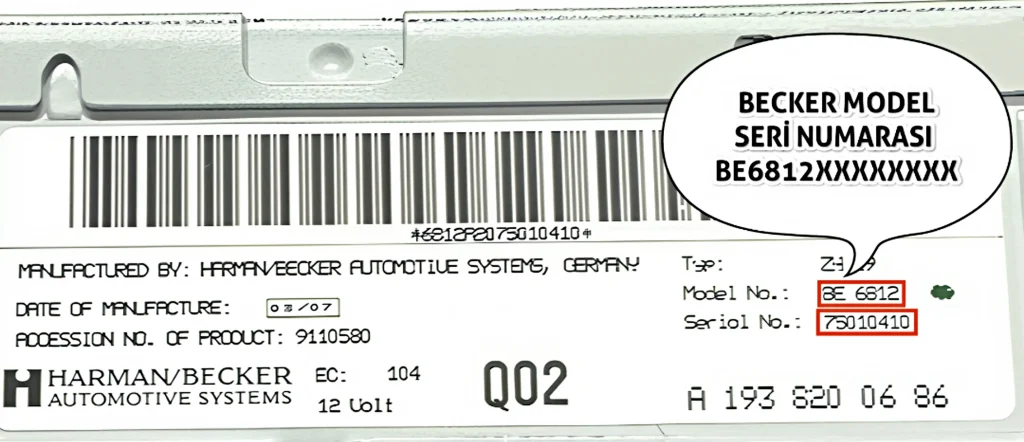
6. Chrysler Becker Series (starting with BE…)
These are Becker units found in older and classic models (Ex: Crossfire etc.). The serial number starts with ‘BE’ (Ex: BE6802, BE4780 etc.) and is 14 characters long.
Important: For this series, you only need to enter the 14-digit code starting with BE.
Chrysler Radio Code Password Finding Program;
Frequently Asked Questions (FAQ) About Chrysler Radio Code
If you entered the password incorrectly consecutively, the security system temporarily locks the radio. In this case, you need to turn the ignition to half-on (ACC) position and leave the radio on while waiting.
- Usually after waiting between 30 minutes to 2 hours, the screen returns to normal and shows “CODE” or “—-“.
- At this stage, you must enter the correct code. Before entering the code, make sure you have correctly identified your serial number.
Possible reasons are:
- Serial Number Error: Character errors such as reading “T0O” instead of “T00” are common. Take a clear photo of the label and check again.
- Previous Replacements: If the vehicle is second-hand, the radio may have been replaced before and the vehicle’s chassis number (VIN) and radio may not match. The serial number on the radio is always the most accurate.
Please check your serial number again and try again in our online radio code query tool.