Land Rover Radio Code Generator | Unlock All Models Instantly
Land Rover Radio Code Finder (All Models)
 |
 |
 |
 |
Hello Valued Land Rover Owners,
Do you see a “CODE”, “LOCKED”, or “SECURITY” warning on your screen after a battery change, service maintenance, or radio removal in your Land Rover (Freelander, Discovery, Range Rover, Defender, etc.)? Don’t worry, this is just an anti-theft security protocol. We allow you to find the 4 or 5-digit original unlock code you need to get your music back in seconds (Click to Query).
This guide covers all original audio system manufacturers used by Land Rover, such as Visteon, Philips, and Becker.
Step 1: Finding the Serial Number (Without Removing the Radio!)
To calculate your Land Rover radio code, we need your radio’s “Identification Number” (Serial No). On some models, you can access this information without removing the radio.
Practical Method (For Visteon Models):
If your radio is a Visteon brand or a Ford-based (M Series) unit; you may not need to remove the radio:
-
- Turn the ignition key one notch (so the radio display powers on).
- Press and hold buttons 2 and 6 on the radio simultaneously for a few seconds.
- The text on the screen will begin to change. At the end of this cycle, which takes about 10-15 seconds, you will see a code starting with the letter “M” followed by 6 digits (e.g., M123456). This is your serial number!
- Note: On some models, this process may also work with buttons 1 and 6.
- On most Land Rover / Visteon models: The Right Arrow Direction Key ( > ) must be used to confirm the entered code.
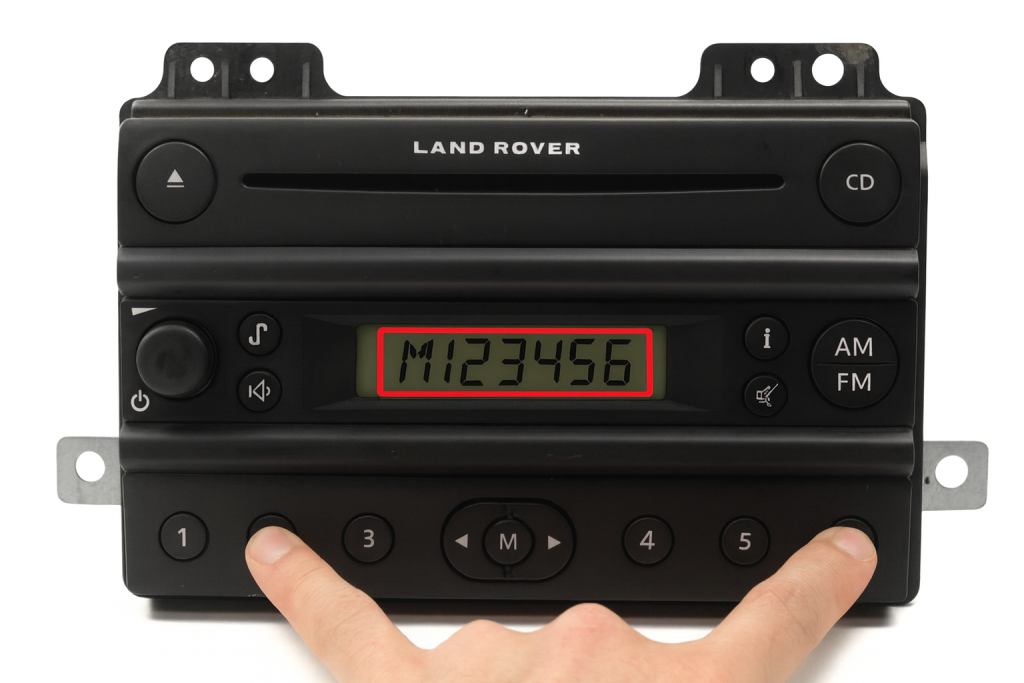
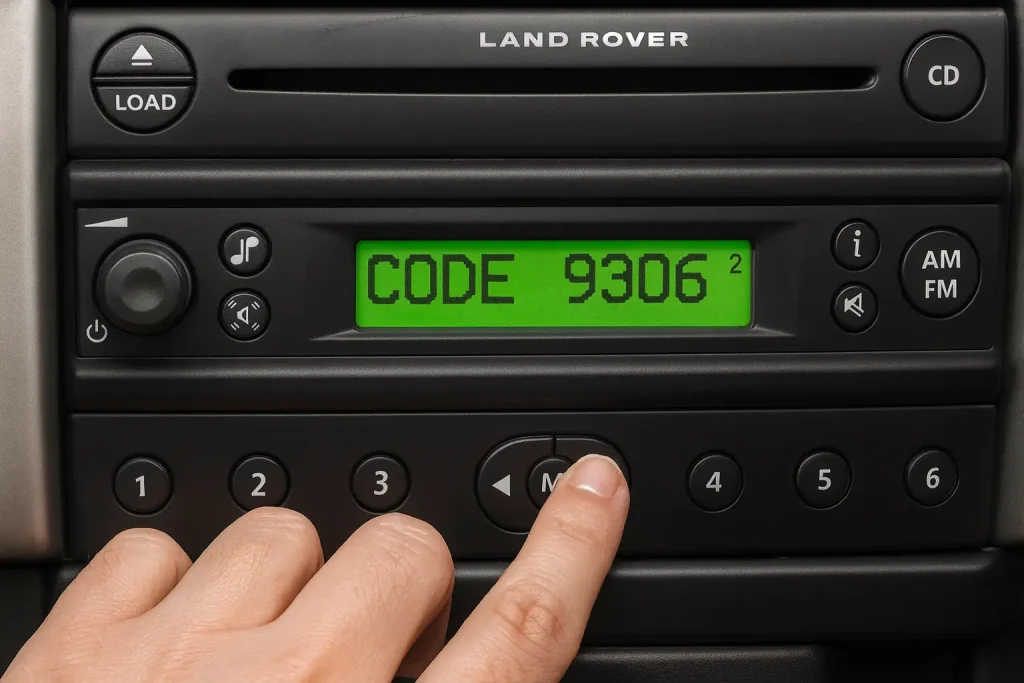
Exact Method (Label Check):
If the method above does not work or if your radio is Philips/Becker, the serial number is written on the label on the metal casing. You can pull the radio out slightly by inserting “U” release keys into the 2 or 4 holes on the front panel. Note down the code where it says “Serial No” or “Barcode”.
2. Supported Models and Serial Number Formats
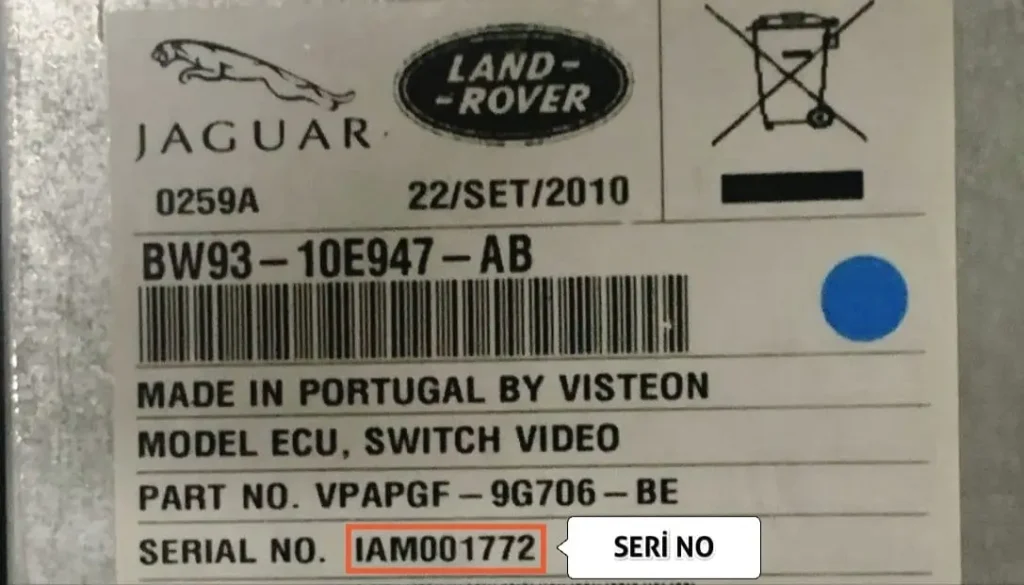
A) Land Rover Visteon (M Series)
Commonly seen in Freelander models. The serial number starts with the letter ‘M’ and is 7 digits in total.
Example: M123456
Note: For these models, you must enter the full serial number (7 digits) completely for the query.
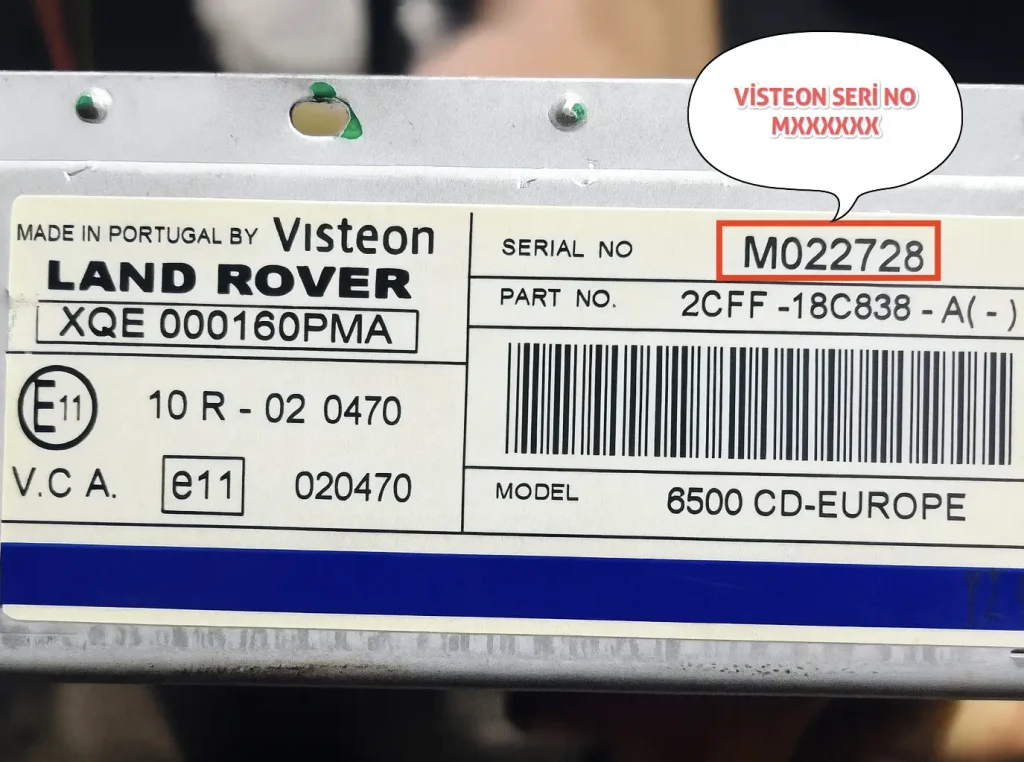
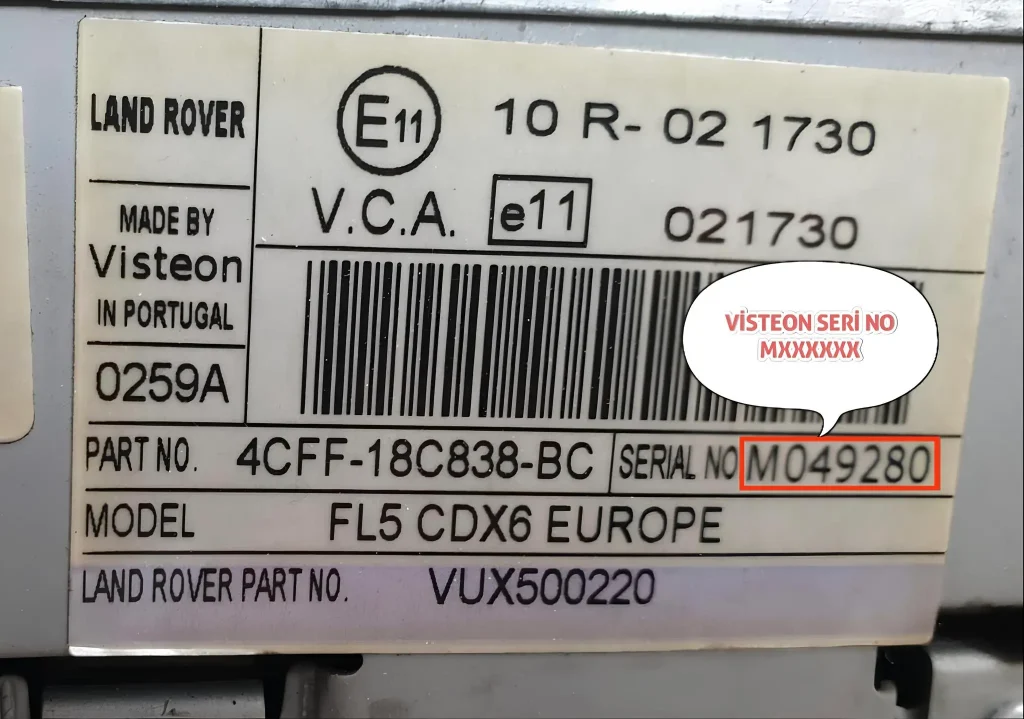
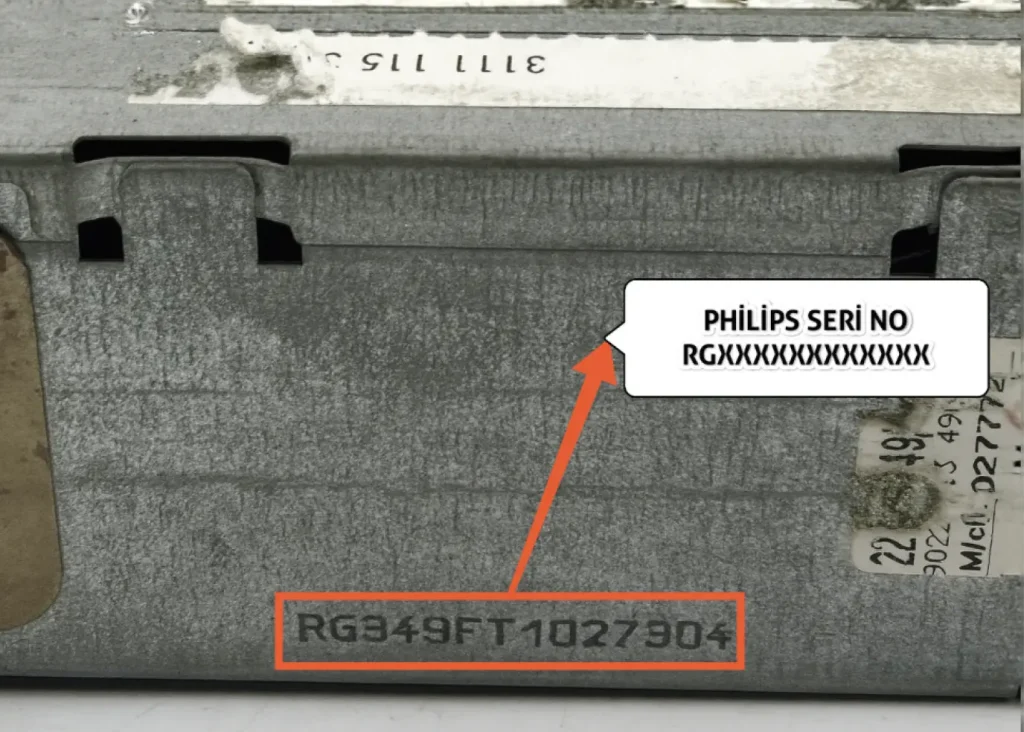
B) Land Rover Philips (RG) Series.
- Serial numbers belonging to Philips model radios start with the RG prefix (e.g., RG594FT2086341).
Note: For these models, you must enter the full serial number (14 digits) completely for the query.
- Philips: If all numbers are entered correctly on the screen, you can confirm the code by pressing the “1” button one last time.
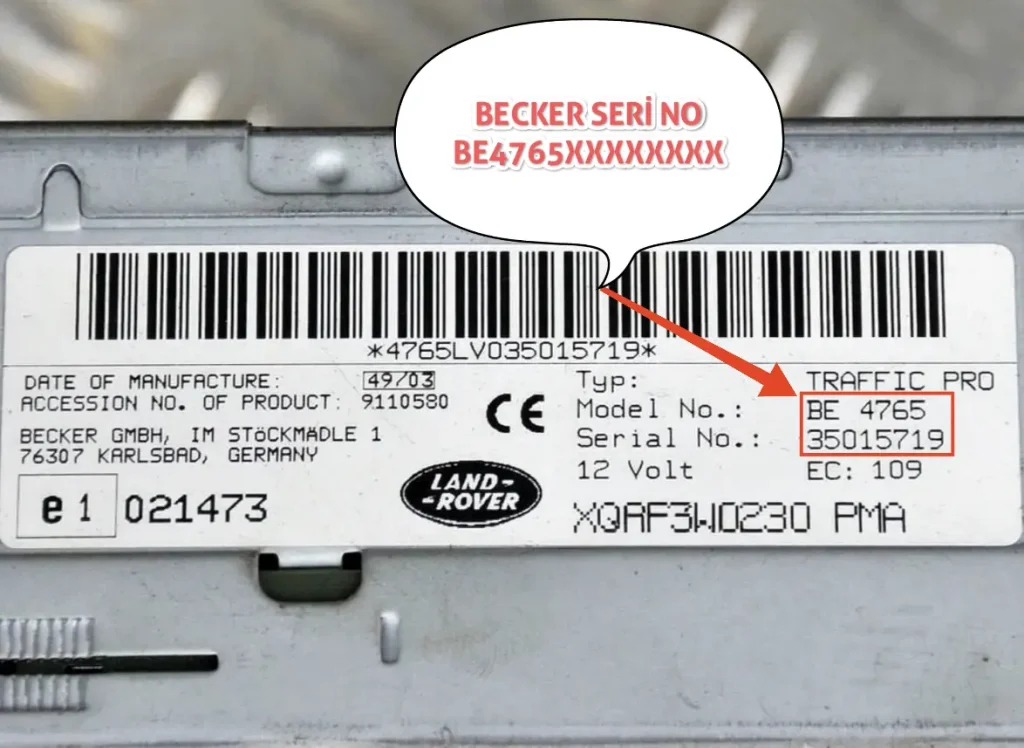
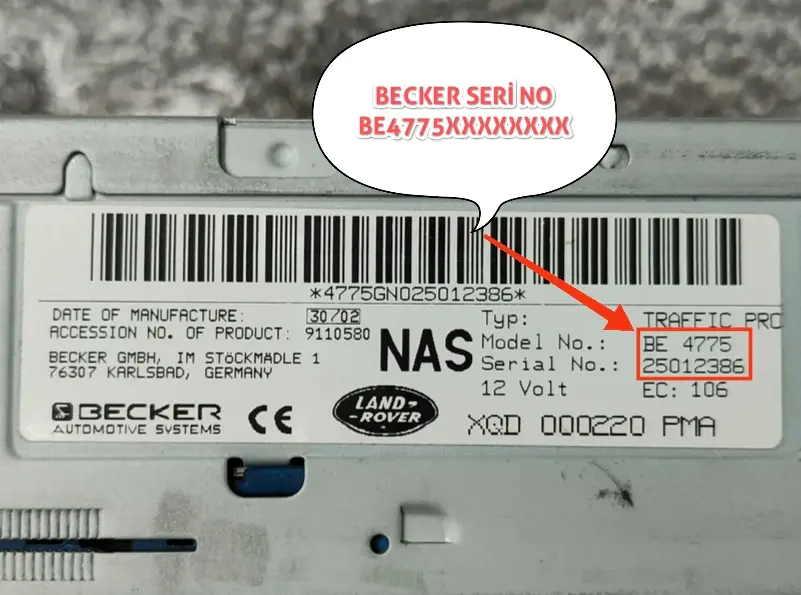
B) Becker (BE) Series (BE4765 and BE4775)
- Becker: Serial number starts with BE (e.g., BE4765XXXXXXXX).
Note: For these models, you must enter the full serial number (14 digits) completely for the query. When you enter your 5-character radio code correctly, your radio will turn on automatically.
Land Rover Radio Code Calculation Tool
Have you found your serial number? Enter it in the box below and get your code instantly.
Frequently Asked Questions (FAQ) and Tips
Entering the code varies from model to model, but the general method is:
- For the 1st Digit: Press the “1” button on the radio repeatedly until the first digit of the code appears on the screen.
- For the 2nd Digit: Set the second digit by pressing the “2” button.
- For the 3rd and 4th Digits: Use the “3” and “4” buttons in the same way.
⚠️ Most Important Part: Confirmation
After seeing the code correctly on the screen, to confirm;
- On most Land Rover / Visteon models: Right Arrow Direction Key ( > ),
- On some models: The “5” button,
- Or the “ENT” / “SCAN” button,
You need to press and hold until you hear a beep (about 2-3 seconds). If you do not press the confirmation button, the radio will not turn on.
This means too many incorrect code attempts have been made previously. This is a security measure.
Solution: Park the vehicle in a safe place. Leave the radio on (keep the Locked/Wait text on the screen) and keep the ignition in the semi-open position. Depending on the model’s lockout time (between 30 minutes and 2 hours), when you wait, the screen will automatically return to code entry mode (“CODE” or “- – – -“). If you turn off the radio, the timer resets; you must wait uninterrupted.
No. Our online system and most decoders in the world only work with the radio’s own Serial Number. The radio might have been changed after leaving the factory, so the Chassis number can be misleading. The most guaranteed method is the label on the radio.
The 1 and 6 button combination usually works on Visteon units produced after 2000. If it does not work or if your radio is a Philips/Becker brand, unfortunately, you must remove the radio from its slot and look at the back/side label.