Volvo Radio Code Finder – Get Your Code Online
Volvo Radio Code Generator (Delphi – 89 and Philips – VO Series)
 |
 |
Hello Dear Volvo Owners,
If your radio is locked after a battery replacement in your Volvo vehicle (S40, S60, V40, XC90, or Truck/Lorry series), you are in the right place.
However, multiple radio brands are used in Volvo vehicles. Our system can decode Delphi and Philips brand radios with serial numbers starting with 89 or VO.
After checking your serial number, if it is compatible, you can use our Online Volvo Radio Code Generator at the bottom of the page.
Which Models Can’t We Unlock? (Please Read)
Our system NEVER SUPPORTS the serial numbers specified below. Please do not process or contact us for these models, as we do not have their solutions in our database:
- ❌ Those starting with V0… or V1…
- ❌ HU-xxx model radios.
- ❌ Alpine/Mitsubishi models starting with 306… or 406…
For these models, you need to apply to an authorized service center.
✅ Supported Models: Delphi and Philips
Our calculator tool only decodes radios that meet the following criteria:
- ✅ Delphi Models with a serial number starting with “89”.
- ✅ Philips Models with a serial number starting with “VO”.
- ✅ Usually found in Volvo Trucks (FH/FM) and some S40/S60 models.
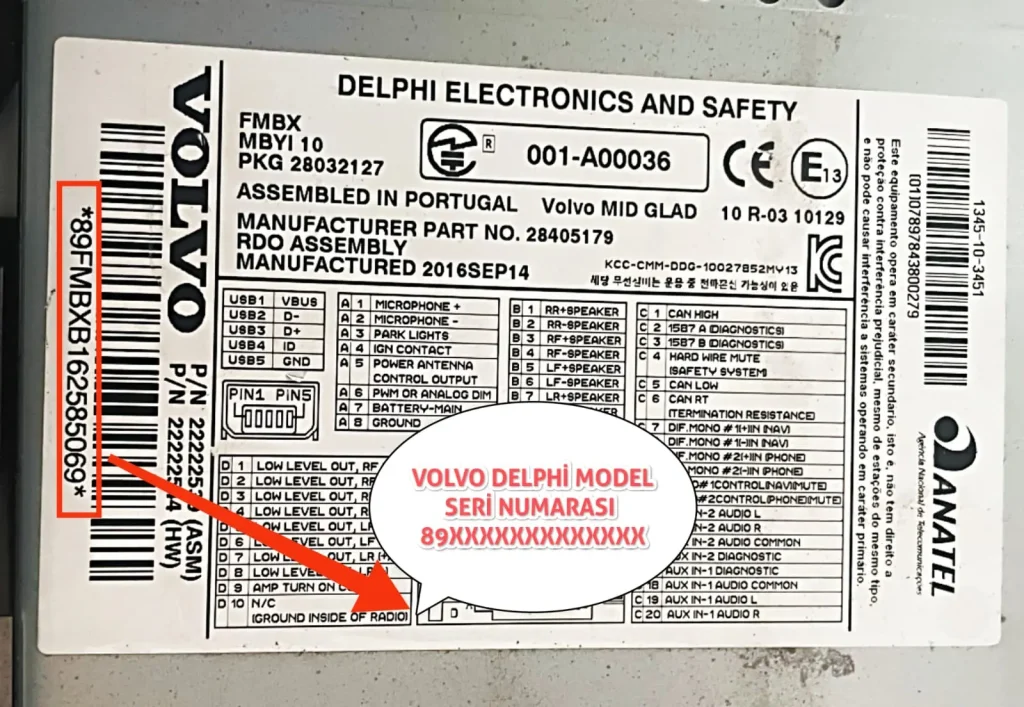
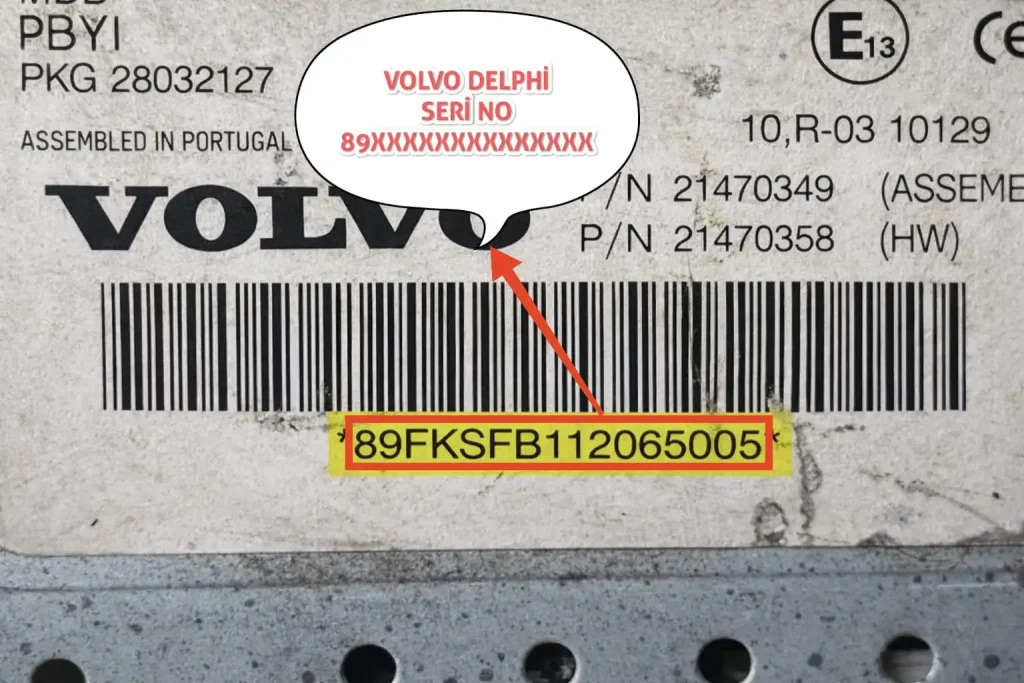
Where is the Serial Number Located?
To see the serial number, you need to remove the radio from its slot. It is written under the barcode on the white label on the metal casing.
- Delphi Format: 89FJ123456789012 (Supported)
- Philips Format: VO511FN9008577 (Supported)
- Invalid Format: V0123456789 (Not Supported)