Suzuki Radio Code Finder – All Models (Updated for 2026)
Suzuki Radio Code Lookup (Swift, Vitara, Jimny, SX4 & All Models)
 |
 |
Hello Valued Suzuki Owners,
Is your Suzuki radio (Swift, Vitara, Jimny, SX4, Splash, or Alto) locked after a battery change? If you see “Code”, “Enter Code”, or “LOCKED” on the screen, your device’s anti-theft security system has been activated. To continue enjoying your music, you need to enter the specific security code generated for your unit.
In this guide, we will explain how to find the unlock codes for **Bosch / Blaupunkt** series radios from the 11-digit serial number found on the device label.
Once you have located your serial number, you can get your code in seconds using our Online Suzuki Radio Code Lookup Tool at the bottom of the page.
Important Step: Where is the Suzuki Radio Serial Number?
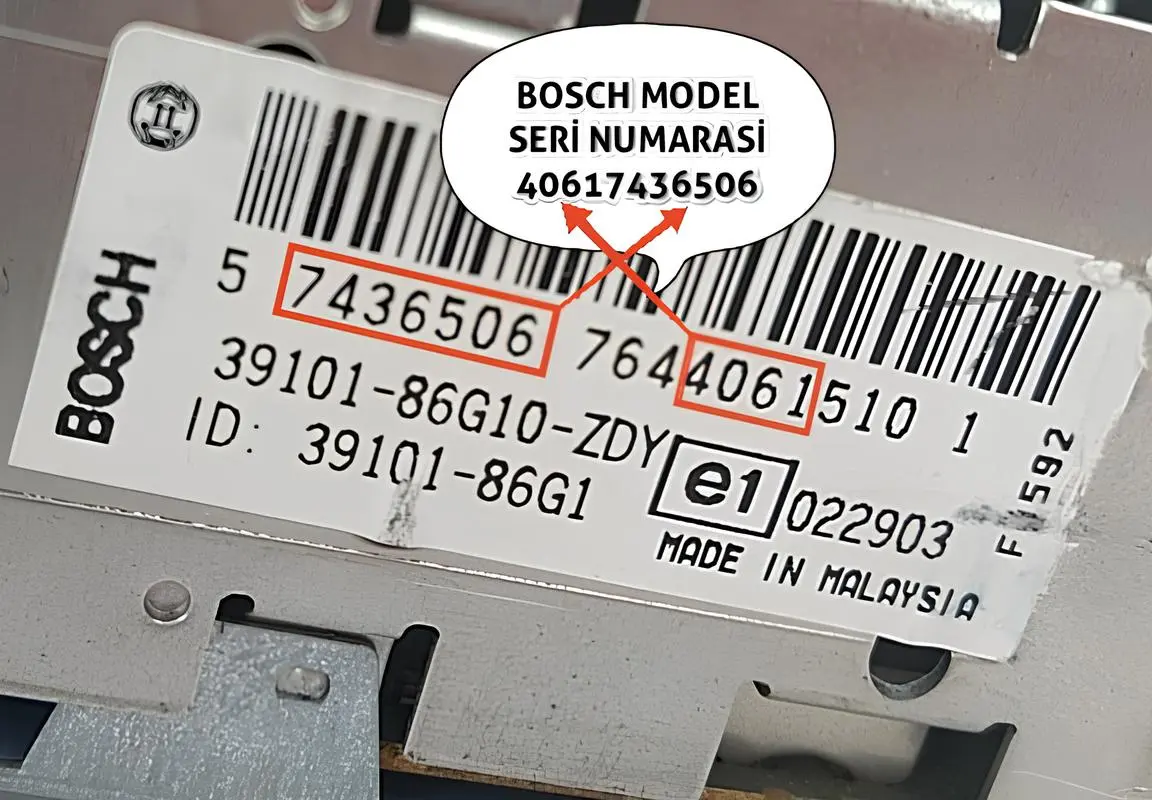
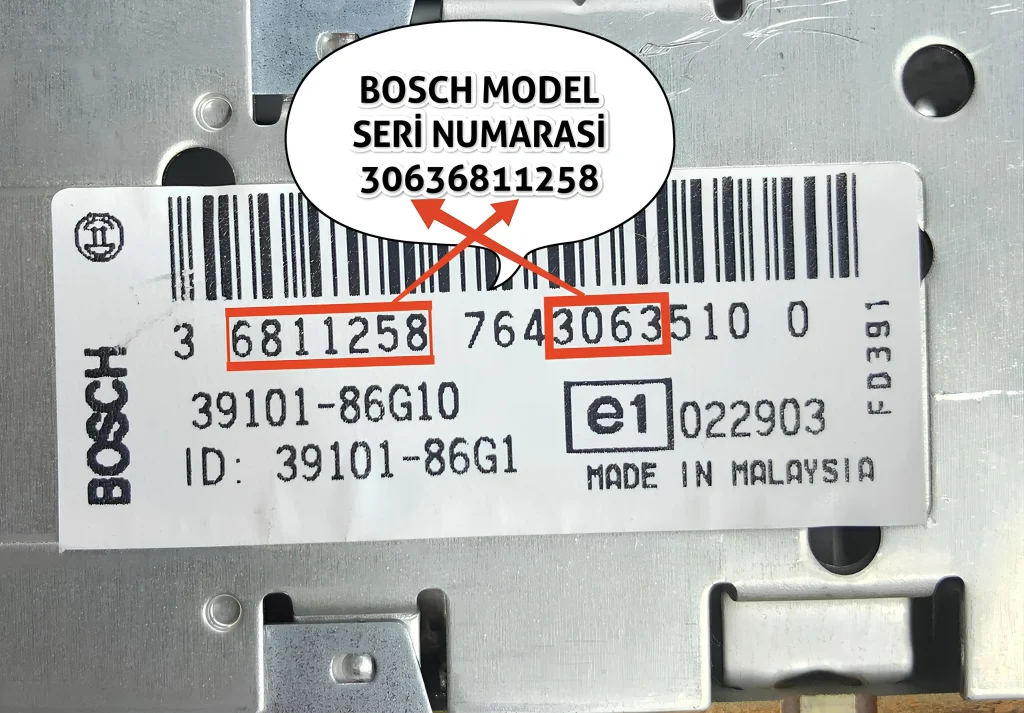
To calculate your Suzuki radio code, we need the **11-digit** numeric group found on the Bosch label on the device chassis.
You Will Need to Remove the Radio
- On Suzuki models, the serial number cannot be displayed on the screen via buttons. You must remove the unit.
- Locate the white label on the side or top of the radio after pulling the unit forward.
- Note: Please do not enter the number starting with “BP”. Only enter the 11-digit numeric group highlighted in the example images below.
After noting your serial number, you can get your code using our online tool below.
Supported Suzuki Radio Models
Our online calculation program supports all Suzuki Bosch/Blaupunkt radios in the following formats:
- ✅ 11-Digit Bosch Series: (Starting with 3062, 3063, 3064, 4061)
- ✅ Compatible Models: Swift, Vitara, SX4, Jimny, Alto, and more.
Suzuki Bosch Serial Number Examples (11 Digits)
On Suzuki devices, the serial number consists of a combination of different numeric groups on the label. Please enter **only the numbers**.
**How to Enter?** Enter the 11-digit format shown in the images below (e.g., 40617436506 or 30636811258). Ensure you enter them without the “BP” prefix.