Renault Dacia Radio Code Service | 2026
Renault Dacia Radio Code Service | 2026
 |
 |
 |
 |
2026 Updated Guide: Renault and Dacia vehicle owners need a security PIN code when the battery is replaced or the radio connection is disconnected. So, how can this code be found without going to the service if it is lost? We have compiled all the methods to easily find your Serial Number (Pre-Code) and quickly get your code with the calculation tool below on this page. Solutions for all models including Megane, Clio, Duster, Sandero, Symbol, Lodgy, Logan, and Captur are below.
1. Finding Serial Number Without Removing Radio (Practical Method)
When your radio is locked, you need the device’s ID number (Pre-Code) to calculate the unlock code. On Renault “Tuner List” and “Update List” models, you can see this code on the screen without removing the radio.
Query via Key Combination:
- Turn on the ignition and the radio.
- Press and hold buttons 1 and 6 on the radio AT THE SAME TIME for 3-5 seconds.
- Note: If 1 and 6 do not work, you can try buttons 1 and 5.
- Technical information will start scrolling on the screen. If you see a section consisting of 1 Letter and 3 Digits at the end of this text (Ex: W921, G503, T098 etc.), this is your security code.
- Note this code and enter it into the calculation tool below.
- Note: If the key combinations do not respond or the code does not appear on the screen, your vehicle’s radio model does not support this feature. Please proceed to Method 2 (Label Reading).
2. Finding the Serial Number from the Label (Removal Process)
If the button combination does not work, you need to remove the radio from its slot and read the label on the side or top surface.
What Should You Look for on the Label?
-
-
- 👇
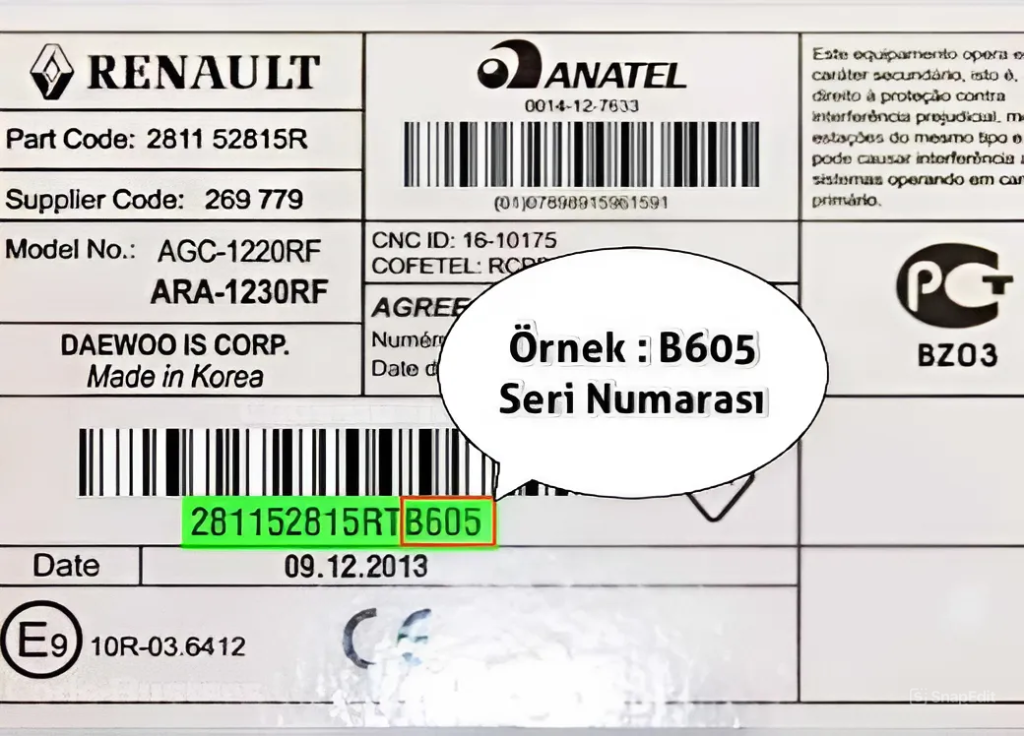
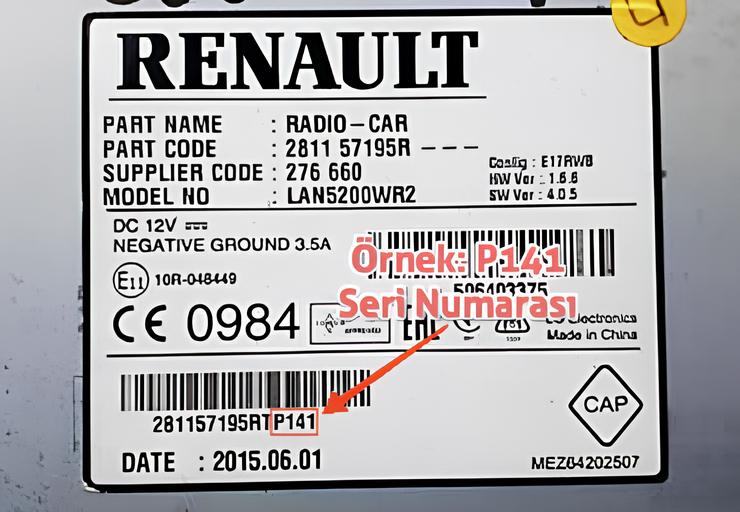
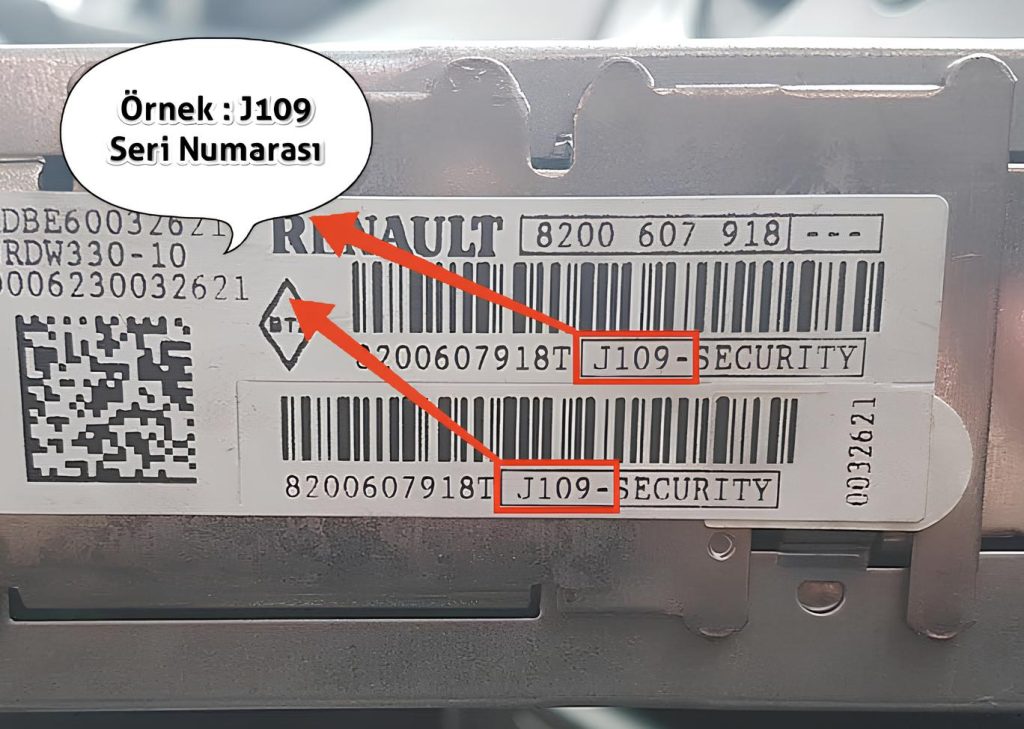
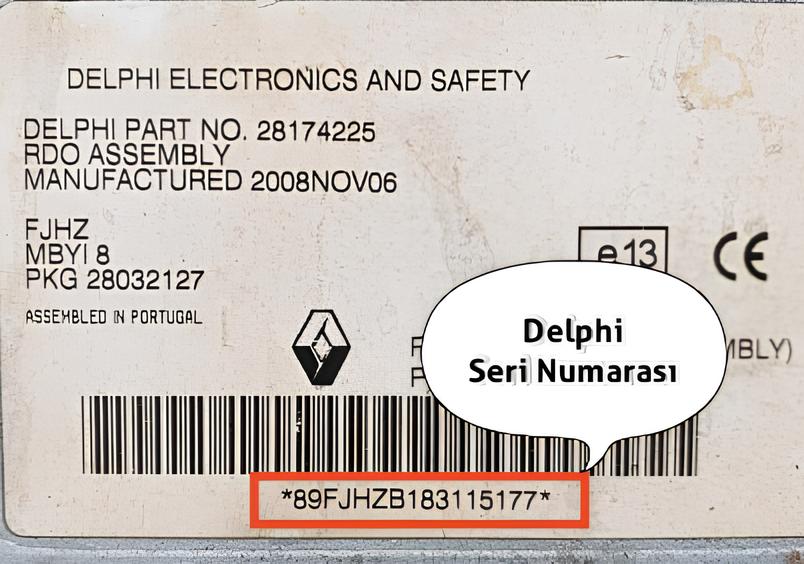
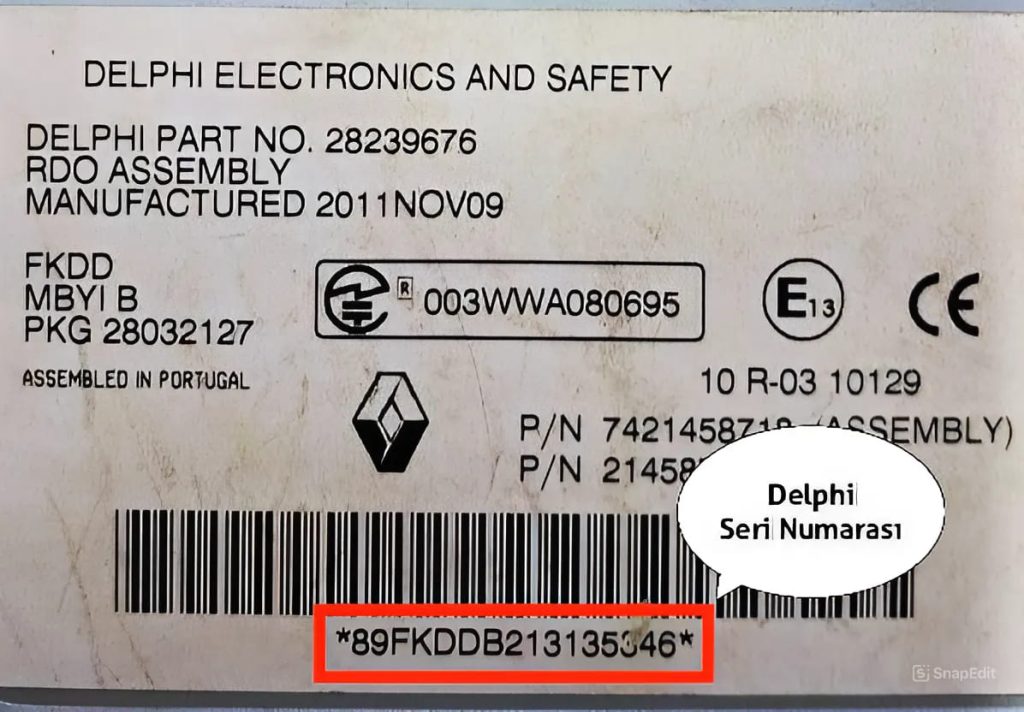
To understand which serial number belongs to your radio, please review the illustrated examples below:
-
A. Examples for Renault & Delphi Models:
B. Carminat & Traffic Pro Becker Navigation Models:
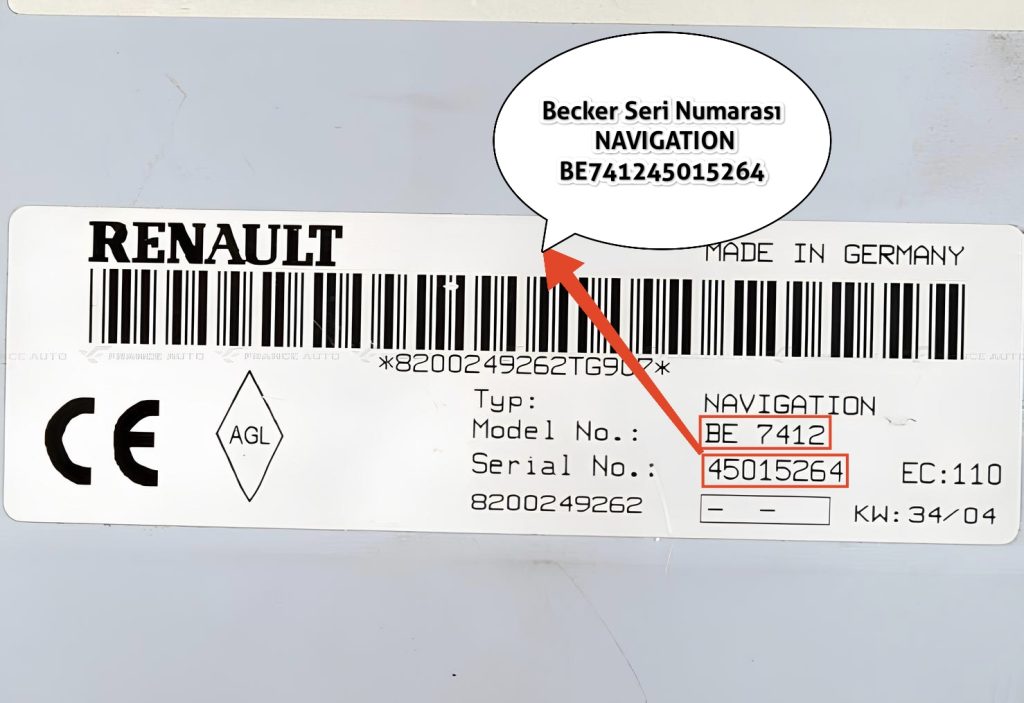
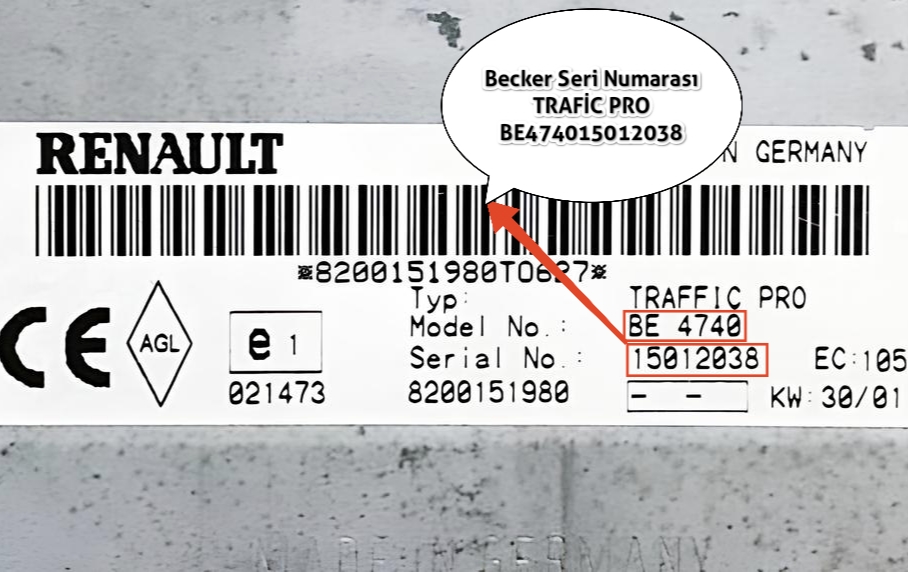
BE7401, BE7403, BE7406, BE7409, BE7410, BE7411, BE7412, BE7417, BE7430, BE7432, BE7433, BE7434, BE7435, BE7436, BE7440, BE7442, BE4708, BE4740, BE4743, BE4745, BE4746, BE7408.
In these models, the serial number usually starts with BE and is 14 digits long. However, the characters at the end are usually used for calculation.
C. Bosch & Blaupunkt Models:
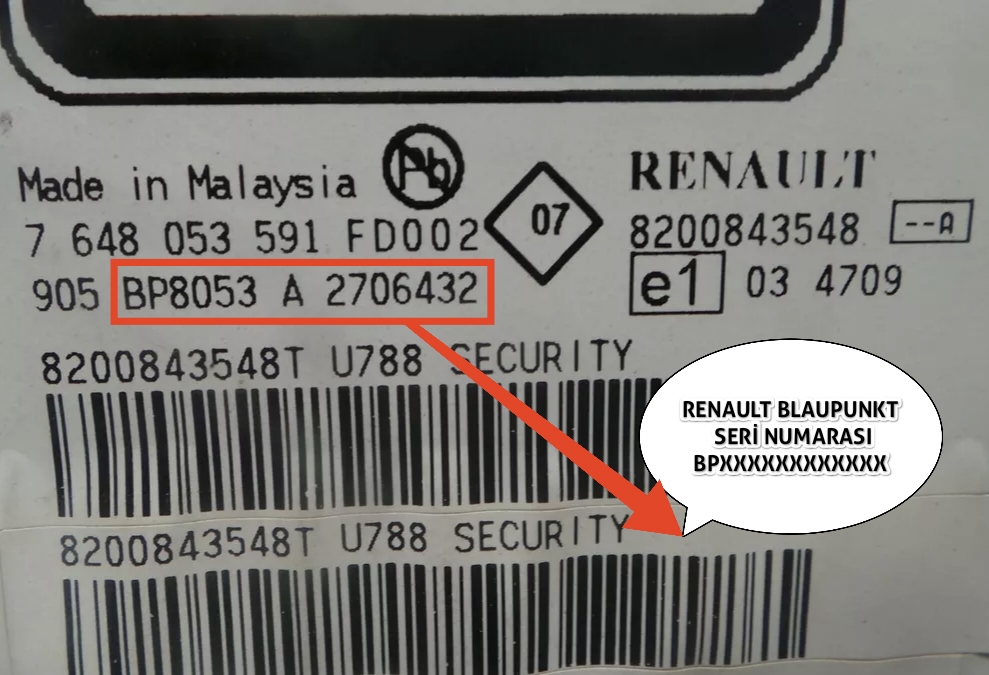
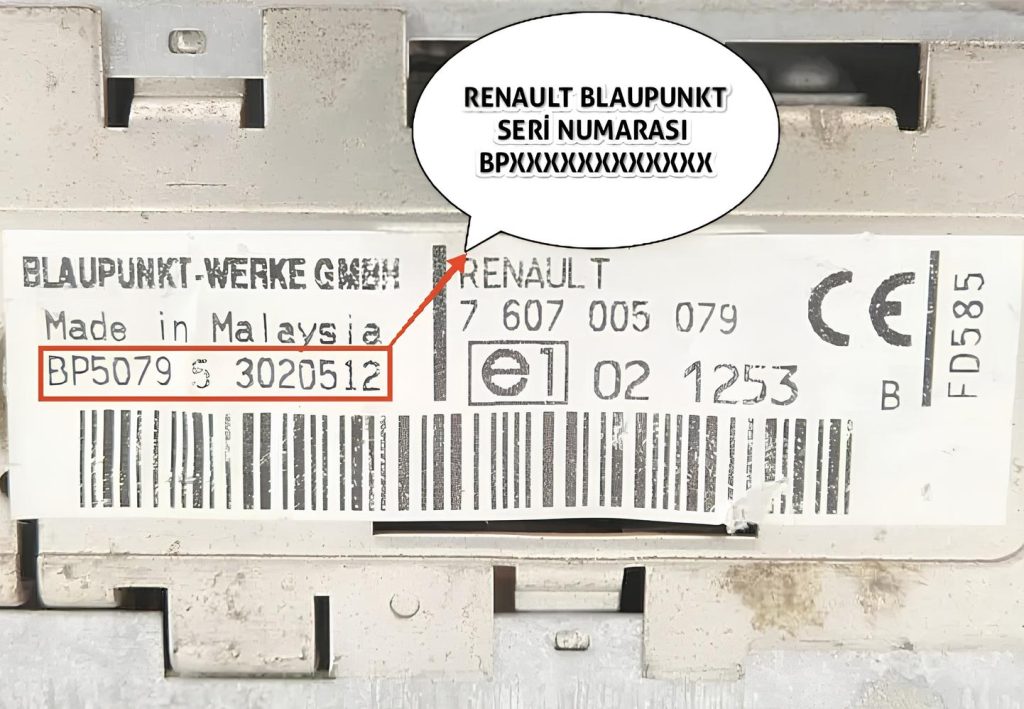
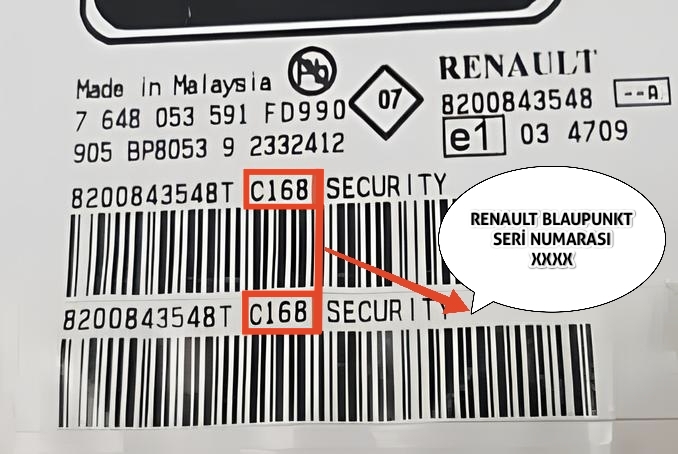
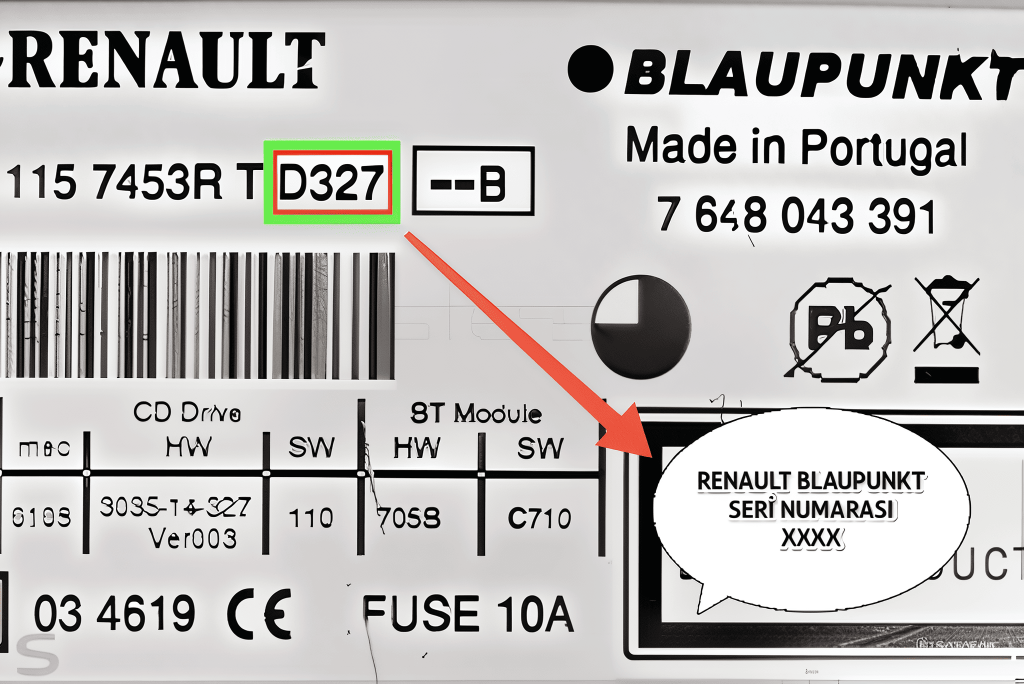
In Bosch and Blaupunkt models, the serial number usually starts with BP. However, the code we need for our program is usually the final security part like A123 or W987 under the barcode.
👇 Renault & Dacia Radio Code Calculation Tool
3. Entering and Confirming the Found Code
Step-by-Step Code Entry:
- Turn on the ignition. The text “CODE” or “0000” will flash on the screen.
- You will use buttons 1, 2, 3, and 4 on the radio.
- For Example Code: 3521:
- Press button 1 3 times. (3 will appear on screen)
- Press button 2 5 times. (5 will appear on screen)
- Press button 3 2 times. (2 will appear on screen)
- Press button 4 1 time. (1 will appear on screen)
IMPORTANT: Confirmation Process (Most Common Mistake)
- After seeing the password correctly on the screen, PRESS AND HOLD button 6 (or ENTER button on some models) until you hear a “Beep” sound (approx. 5 seconds) to confirm.
Warning: Do Not Enter Your Code Incorrectly!
With every wrong entry, the waiting time (1 minute, 2 minutes, 4 minutes…) increases exponentially. Too many incorrect attempts (usually over 10) causes the radio to switch to “LOCKED” mode and lock permanently. If the code you found with the tool above does not work, please do not force it and get professional support via the WhatsApp/Telegram buttons above.