Kia Radio Code Finder (All Models)
Kia Radio Code Finder (Rio, Sportage, Ceed, Picanto & All Models)
 |
 |
 |
 |
Hello Valued Kia Owners,
Has your radio locked up after a battery change or removal in your Kia (Rio, Sportage, Ceed, Picanto, Cerato, or Sorento)? If you see “Code”, “Security Code”, or “Enter PIN” on the screen, don’t worry. This means your radio has entered anti-theft protection mode.
In this guide, we will explain in detail how to find unlock codes for **Mobis (EMP3)**, **RDS (Rio)**, and **Becker** series radios used in Kia vehicles.
Once you have your serial number, you can instantly retrieve your code using our Online Kia Radio Code Finder Service at the bottom of the page.
Important Step: Where is the Kia Radio Serial Number?
To calculate your Kia radio code, we need the unique serial number written on the radio chassis.
You May Need to Remove the Radio
- In Kia models, the serial number is usually not readable from the screen.
- You need to remove the plastic trim around the radio, unscrew the 4 screws holding the device, and pull it towards you.
- Find the serial number on the white label located on the top or side of the unit, matching the formats shown below.
After obtaining your serial number, you can get your code using our online tool below.
Supported Kia Radio Models
Our online lookup tool supports the following Kia radio formats:
- ✅ EMP3 Series: (Starting with letters like MP, MT, MC, BQ)
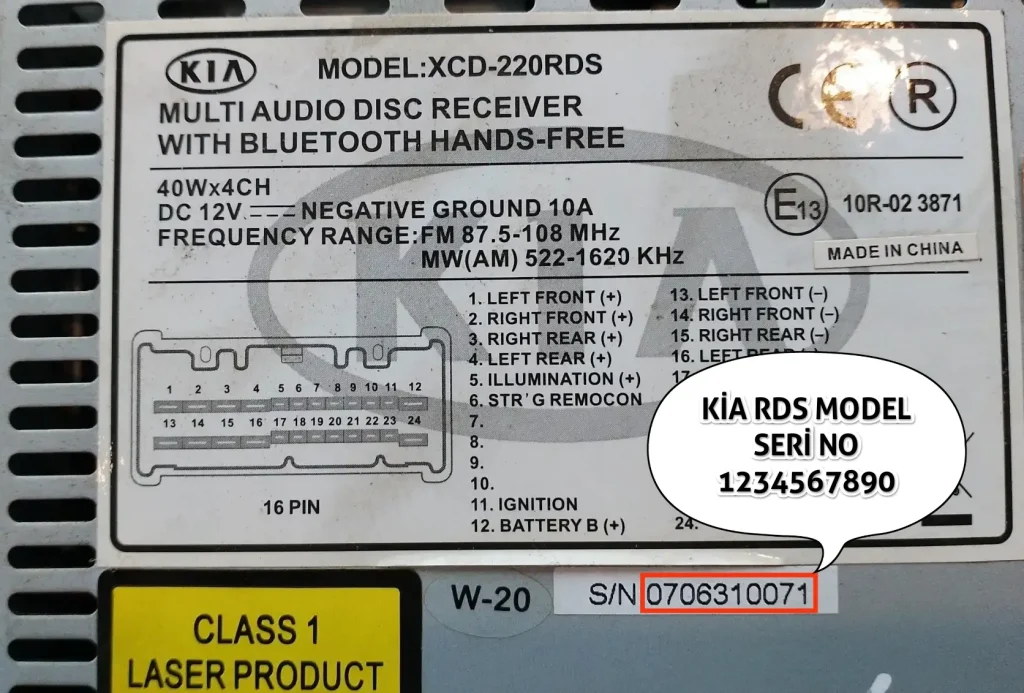
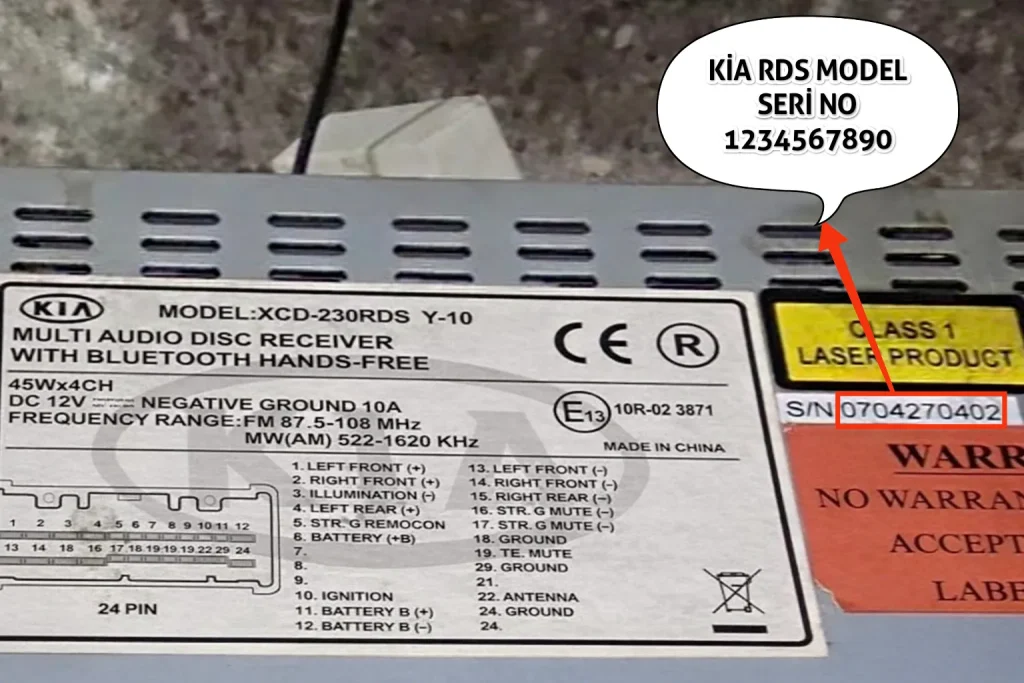
- ✅ Rio & RDS Series: (4 or 10 digits, numbers only)
- ✅ Becker Navigation: (Models BE 7917, 7919, 7959)
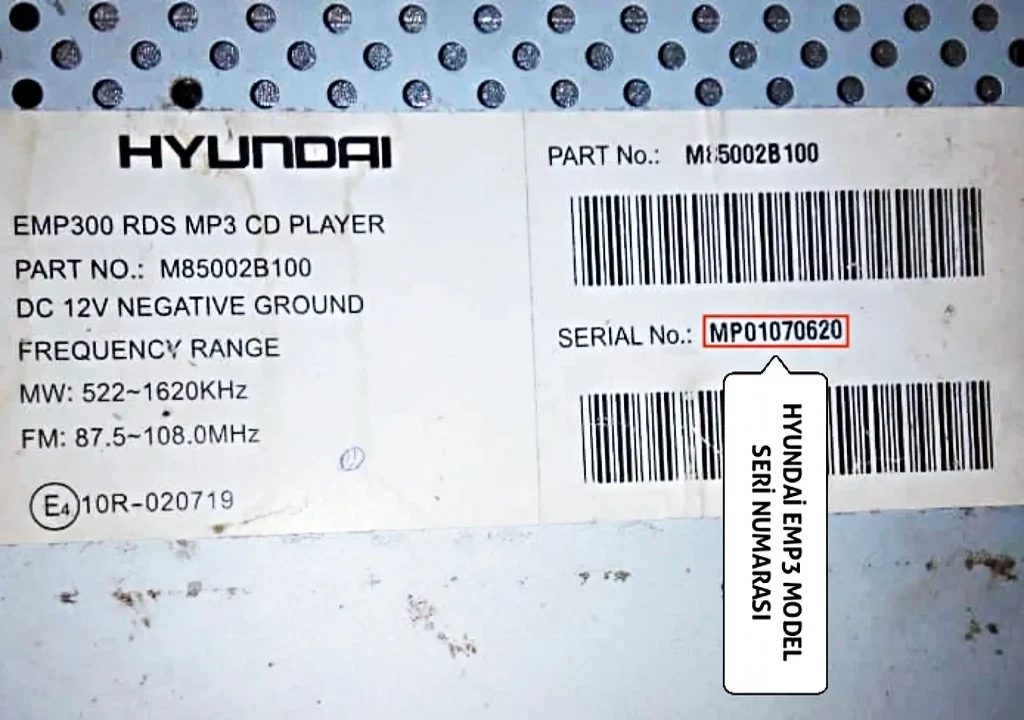
1. Kia & Hyundai Shared EMP3 Series (Letter + 8 Digits)
Info: Since Kia and Hyundai are sister companies, they use the same multimedia infrastructure (Mobis). Therefore, this radio series is identical to the system found in Hyundai vehicles.
Commonly found in Kia Sportage, Ceed, and newer Rio models. The serial number on the label starts with **2 Letters** followed by **8 Digits** (10 characters total).
Common starting letters:
- MP (e.g.: MP12345678)
- MT (e.g.: MT28551122)
- Starts with BQ or MC.
How to Enter? Enter the serial number contiguously including the letters.
2. Kia Rio & RDS Series (Numbers Only)
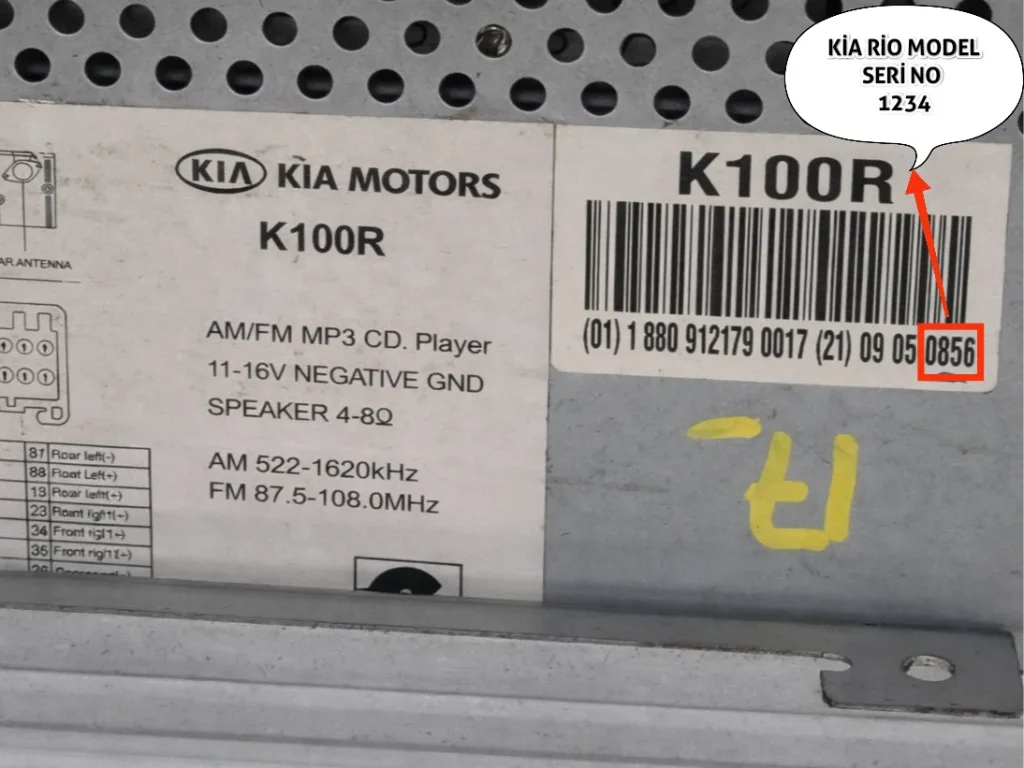
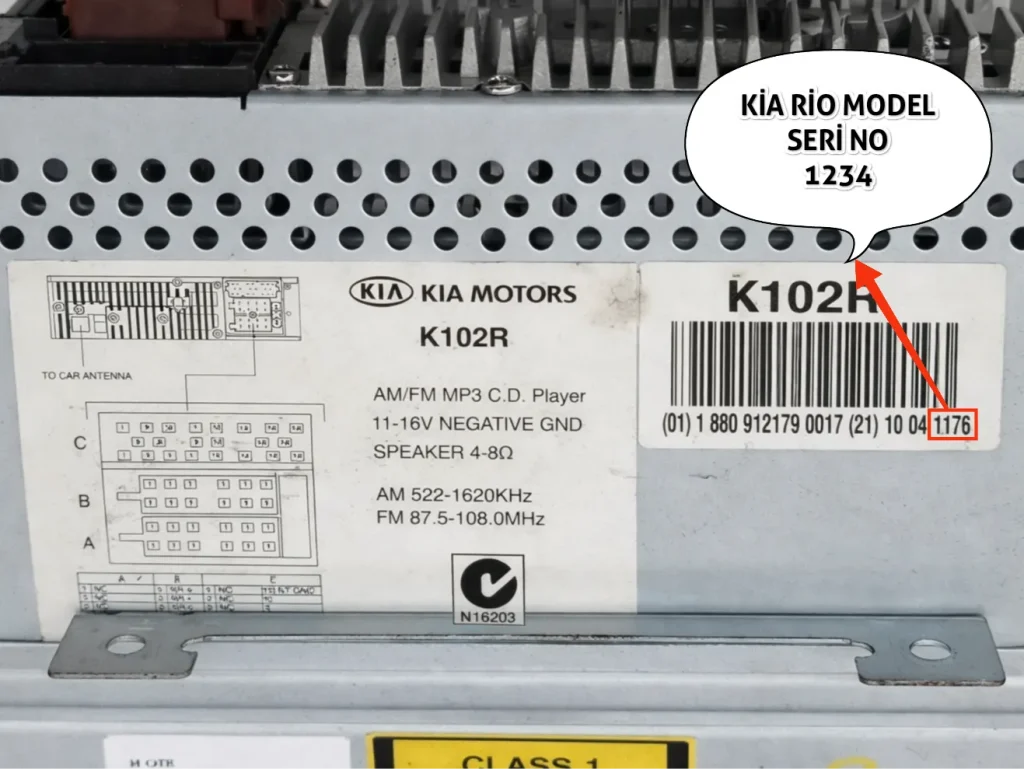
This format is found in older Kia Rio, Picanto, or Cerato vehicles. The serial number contains no letters, only numbers.
- 4 Digits: Short serial number (e.g.: 1234)
- 10 Digits: Long serial number (e.g.: 1234567890)
How to Enter? Enter only the numbers you found.
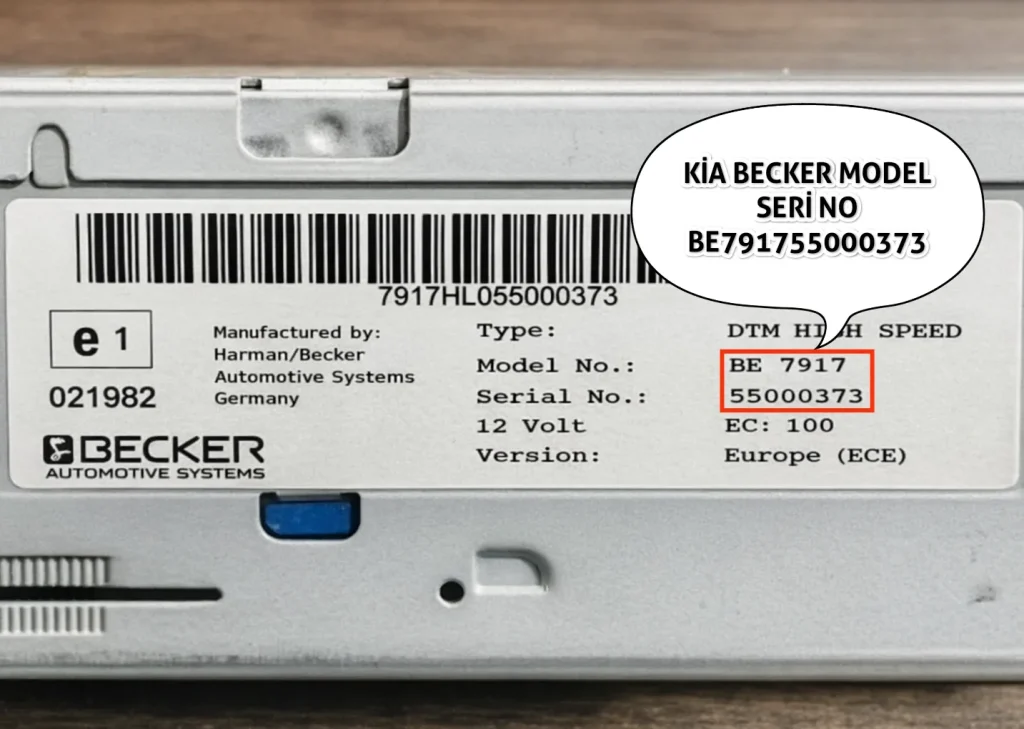
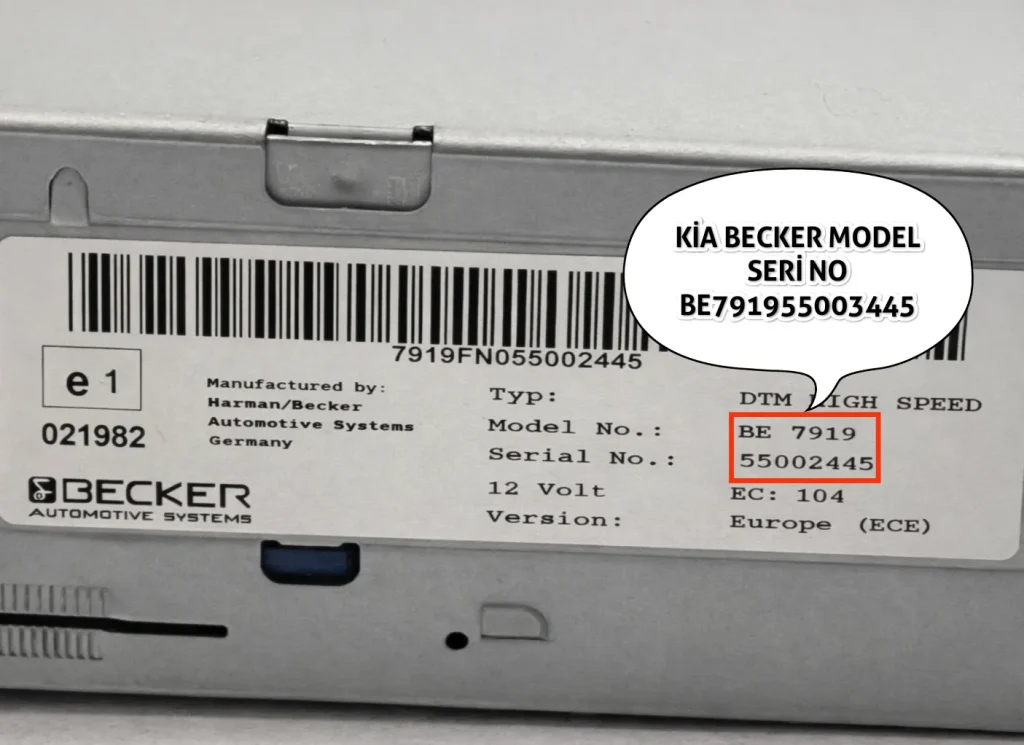
3. Kia Becker (Harman) Series (Starting with BE)
These are navigation radio models from Kia. The serial number always starts with **’BE’** and is 14 characters long.
- Example Format: BE791712345678
7917, 7919, 7959. (For example: BE791955004411 is supported).