Iveco Radio Code Finder (All Models)
Iveco Radio Code Finder (Daily, Eurocargo, Stralis & All Models)
 |
 |
Hello Valued Iveco Owners,
Has your radio locked up after a battery change, fuse failure, or maintenance in your Iveco (Daily, Eurocargo, Stralis, or Trakker)? If you see “Enter Code”, “Secure”, or “Code” on the screen, the anti-theft system is active.
In this guide, we will explain in detail how to find unlock codes for **Bosch, Blaupunkt, APTIV (Delphi)**, and **Continental** series radios used in Iveco vehicles.
Once you have your serial number, you can instantly retrieve your code using our Online Iveco Radio Code Finder Service at the bottom of the page.
Important Step: Where is the Iveco Radio Serial Number?
To calculate your Iveco radio code, we need the serial number written on the label on the metal chassis of the radio.
You Need to Remove the Radio
- In Iveco radios, the serial number is usually not visible on the screen.
- You need to insert “U” shaped removal keys into the holes on the front of the radio and pull the device towards you.
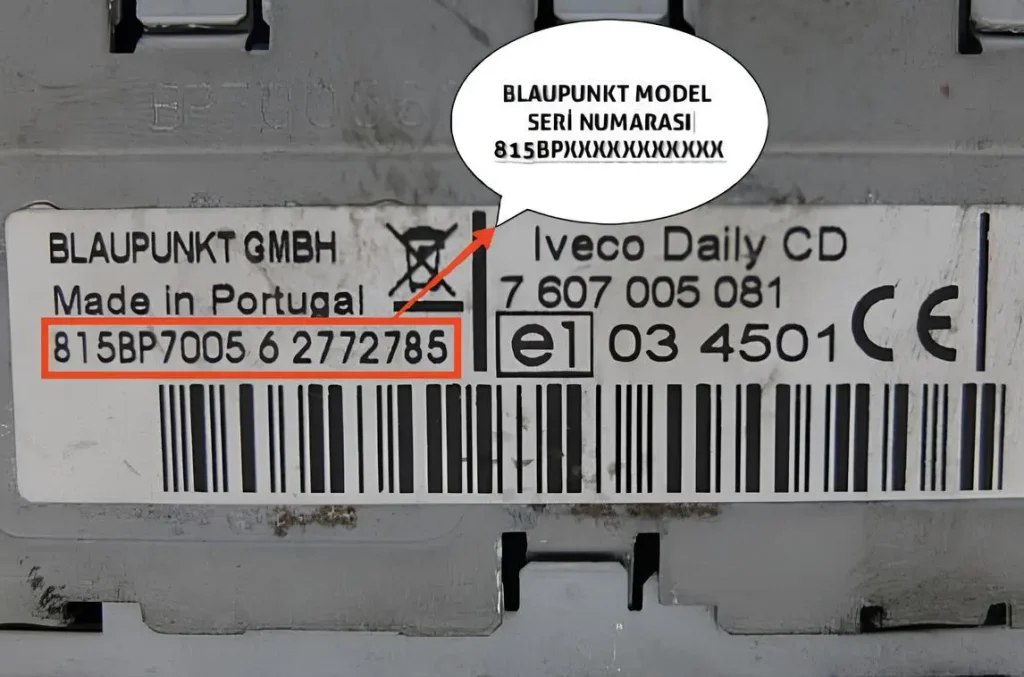
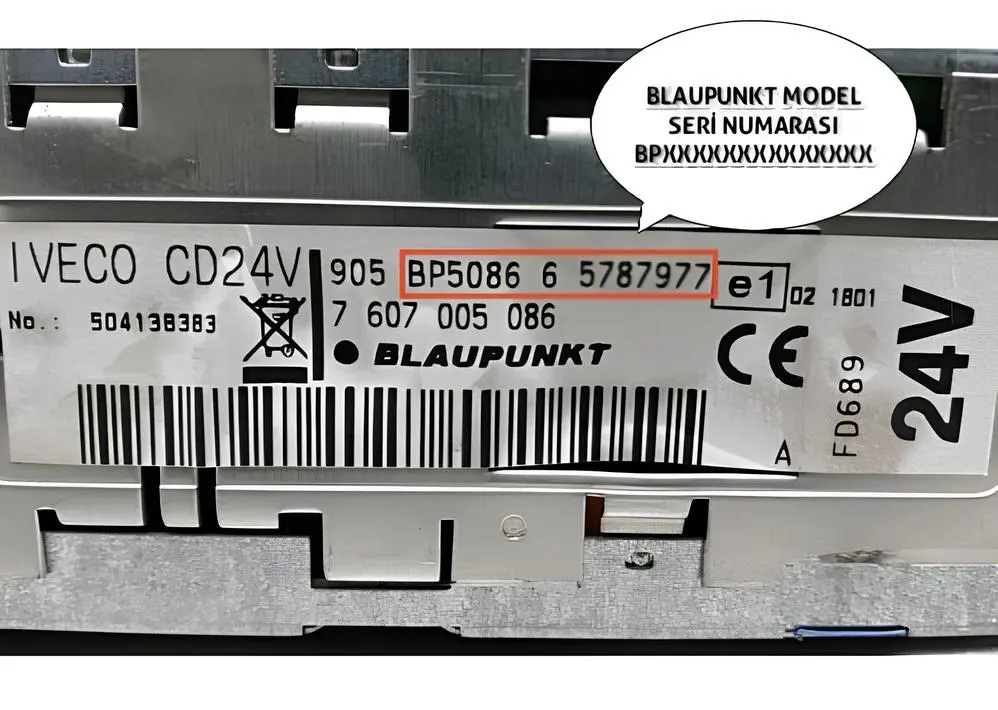
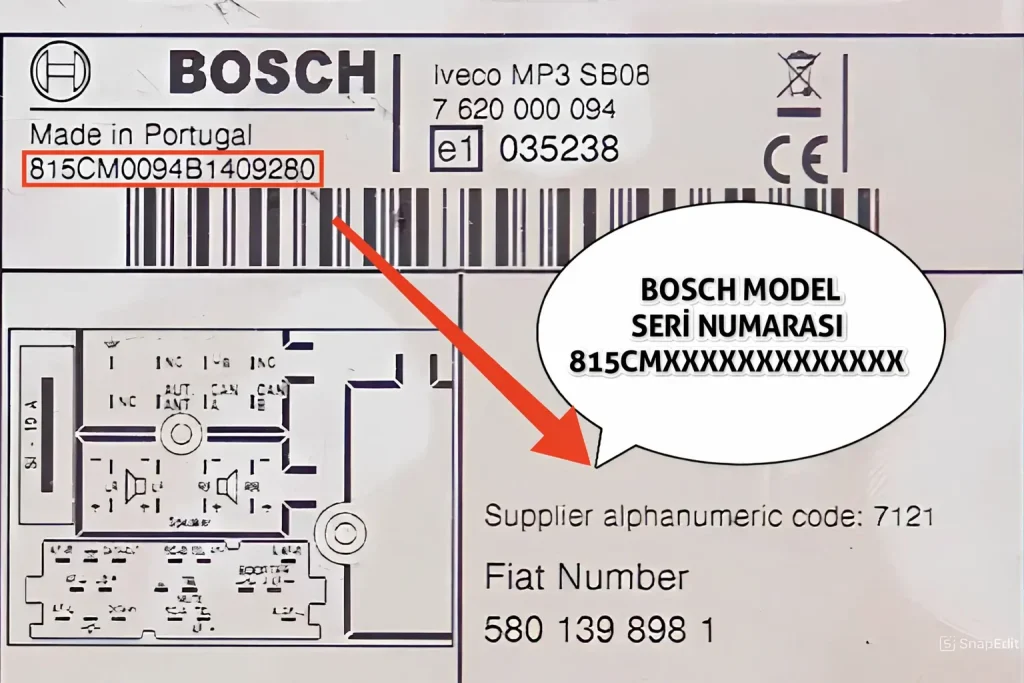
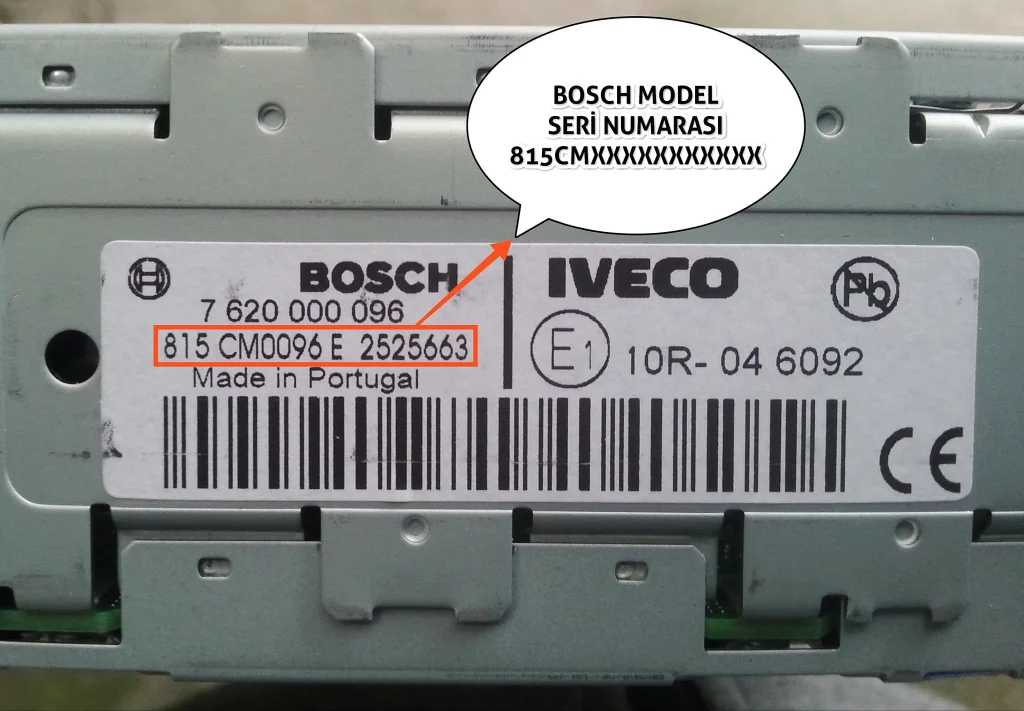
- Locate the serial number on the label on the side or top of the device, matching the formats shown below.
After noting your serial number, you can get your password using our online tool below.
Supported Iveco Radio Models
Our lookup tool supports all the following Iveco radio units:
- ✅ Blaupunkt Series: (14-digit codes starting with BP)
- ✅ Bosch Series: (17-digit long codes starting with 815)
- ✅ APTIV (Touchscreen): (Starting with TOBYD or T0BYD)
- ✅ Continental: (4-digit codes in A123 format)
1. Iveco Blaupunkt Series (BP + 12 Digits)
Commonly found in CD players in Iveco Daily and Eurocargo models. The serial number always starts with **”BP”** and consists of 14 characters in total.
* **Example:** BP123456789012
* **How to Enter:** Enter contiguously including the BP letters.
2. Iveco Bosch Series (815 + 14 Characters)
These are Bosch-manufactured radios found in newer Iveco vehicles. These serial numbers are quite long (17 characters) and start with **”815″**. The code usually contains **”BP”** or **”CM”**.
* **Example:** 815BP12345678901
* **Example:** 815CM12345678901
* **How to Enter:** Enter the full number including 815. Our system will detect it automatically.
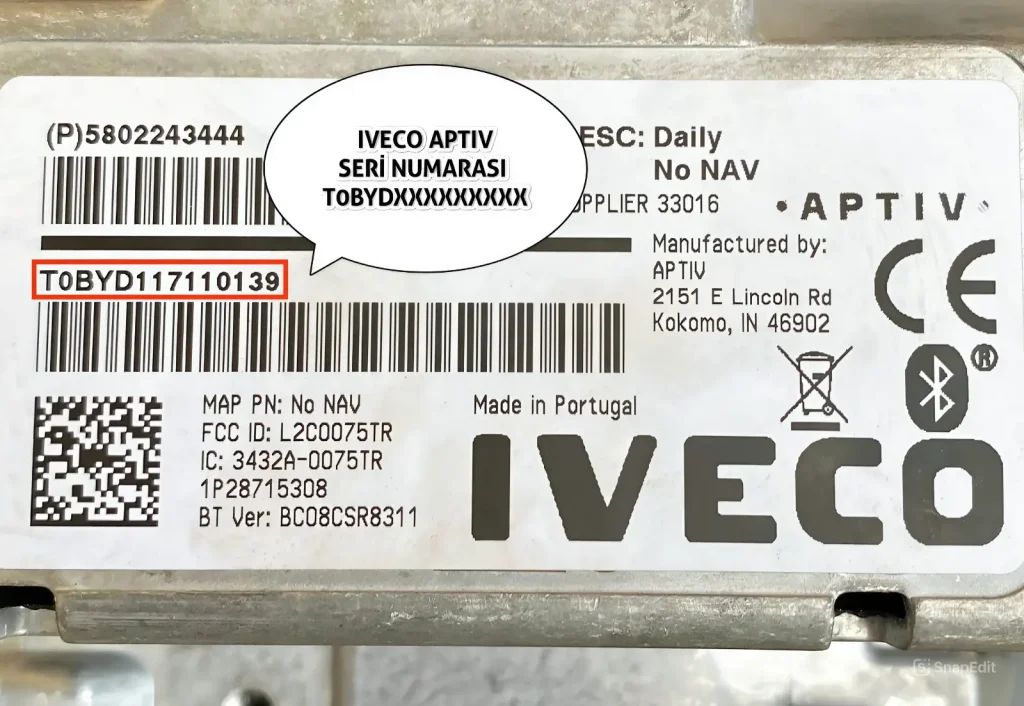
3. Iveco APTIV (Touchscreen) Series
These are large touchscreen multimedia devices found mostly in 2014+ Iveco Daily models. The serial number starts with **”TOBYD”** or **”T0BYD”** (with Zero) and is 14 characters long.
* **Example:** T0BYD123456789
* **How to Enter:** Enter the full code including the T0BYD part.
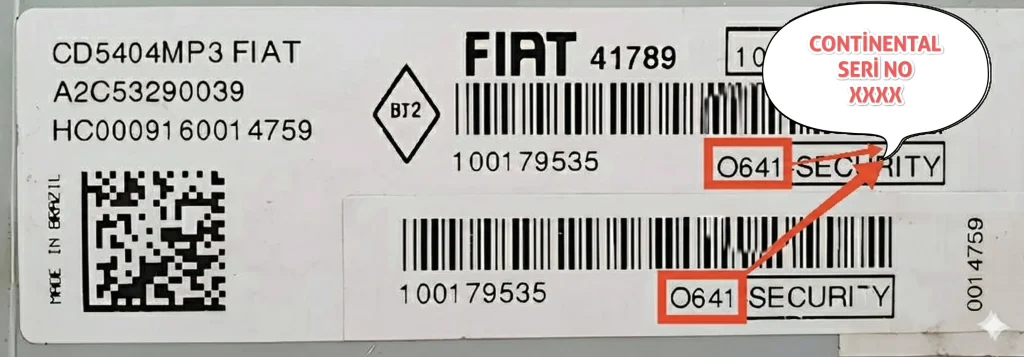
4. Iveco Continental Series (1 Letter + 3 Digits)
Radios used in the Brazilian market or specific special series. The serial number consists of **1 Letter and 3 Digits**, totaling 4 characters.
* **Example:** A123
* **Example:** C985
* **How to Enter:** Enter the 4 characters including the letter.